You might think your bank account is a closed book, only accessible to you. But in today’s world of digital transactions and ever-present online threats, maintaining that illusion of privacy and control is getting harder. That’s where bank alerts come in. Think of them as your personal financial sentinels, quietly watching over your money and relaying crucial information directly to you. Setting up these alerts is not just a good idea; it’s a fundamental step towards better financial security and more accurate tracking of your hard-earned cash. This isn’t about being paranoid; it’s about being proactive. It’s about empowering yourself with the knowledge of what’s happening with your money in near real-time, so you can catch suspicious activity, manage your budget effectively, and simply feel more in command of your financial life.
Understanding the Power of Proactive Financial Monitoring
Your bank account is a hub of activity. Every purchase, every deposit, every withdrawal contributes to its ever-changing balance. Without a system to keep you informed, it’s easy for small discrepancies to go unnoticed, for fraudulent transactions to slip through the cracks, or for your spending habits to spiral out of control without your immediate awareness. Bank alerts transform this passive management into an active, informed strategy. They are designed to provide you with timely notifications about key events related to your accounts, giving you the power to react quickly and decisively. This is about more than just knowing your balance; it’s about understanding the flow of money, identifying patterns, and safeguarding your funds against potential risks. By leveraging the alert systems offered by your bank, you’re essentially building a transparent bridge between your financial activities and your awareness, creating a more secure and manageable financial future.
Why You Should Care About Bank Alerts
You might be thinking, “I check my bank statement online every week, isn’t that enough?” While regular statement reviews are important, they are inherently reactive. By the time you see an unauthorized transaction on your statement, it might have already been completed, potentially making it more difficult to recover your funds. Alerts, on the other hand, are proactive. They can notify you as a transaction occurs or when a certain threshold is met. This immediate notification is invaluable for:
- Fraud Detection: This is perhaps the most critical benefit. If a fraudulent transaction is initiated, you’ll be alerted immediately, allowing you to contact your bank and stop the activity before it causes significant damage. Imagine a stranger trying to make a large purchase with your card; an alert would pop up on your phone, and you could immediately deny the transaction.
- Budget Management: Are you consistently overspending on a particular category? Alerts can inform you when you’re approaching or exceeding your budgeted amounts for dining out, entertainment, or even general spending, giving you a chance to course-correct before your budget is blown.
- Avoiding Overdrafts: Nothing is more frustrating than being hit with overdraft fees. Alerts can notify you when your balance is running low, giving you time to make a deposit or hold off on further spending, thereby saving you money and stress.
- Tracking Income and Deposits: Beyond just spending, alerts can confirm that your expected income has been deposited. This is particularly useful for freelancers or those with variable paychecks, ensuring you’re getting paid what you’re owed.
- Account Activity Awareness: Even for legitimate transactions, sometimes you might forget about a recurring subscription or a recent purchase. Alerts serve as a reminder, helping you keep a mental inventory of where your money is going.
- Security Breaches: In the unfortunate event of a data breach at your bank or a linked service, alerts can sometimes signal suspicious activity originating from your account, giving you an early warning.
The Different Types of Alerts Available
Banks offer a variety of alert types, and understanding these options is key to customizing your financial monitoring. While the specific names and configurations might vary slightly from one institution to another, the core functionalities are generally consistent. You’ll typically find options to set alerts based on:
- Balance Thresholds: You can set alerts for when your account balance falls below a certain amount or rises above a certain amount. This is excellent for managing your spending and ensuring you always have a minimum buffer.
- Transaction Activity: This is a broad category that can be further refined. You can set alerts for:
- Specific Transaction Amounts: Get notified when a transaction exceeds a certain dollar value. This is perfect for large purchases or identifying unauthorized, high-value transactions.
- All Transactions (or a very low threshold): For those who want maximum visibility, you can opt to be notified for every single transaction, no matter how small. This can be overwhelming for some but provides unparalleled insight for others.
- Specific Types of Transactions: Some banks allow alerts for specific categories like ATM withdrawals, online purchases, or international transactions.
- Deposits: Receive alerts when a deposit is made into your account. This confirms that funds have arrived.
- Withdrawals: Get notified when money is withdrawn from your account.
- Payment Due Dates: Some banks offer alerts for upcoming bill payments, helping you avoid late fees.
- Low Balance Warnings: A specific type of balance threshold alert designed to prevent overdrafts.
- Card Usage Alerts: For debit and credit cards, you can often set alerts for specific usage patterns, such as when the card is used online, internationally, or at a new merchant.
- Password Change or Login Alerts: While not directly tied to transactions, these alerts notify you of significant account security changes, indicating potential unauthorized access.
Setting up bank alerts can be a crucial step in managing your finances effectively. For a comprehensive guide on this topic, you can refer to the article available at How Wealth Grows, which provides valuable insights on creating personalized alerts to help you stay informed about your account activity, spending habits, and important financial milestones. By utilizing these alerts, you can enhance your financial awareness and make more informed decisions.
Navigating Your Bank’s Online Platform to Set Up Alerts
The process of setting up bank alerts is generally straightforward and accessible through your bank’s online banking portal or mobile app. While the exact layout might differ, the fundamental steps are consistent. You’ll want to familiarize yourself with your bank’s interface to find the dedicated alerts or notifications section.
Accessing the Alert Settings
The first step is to log in to your online banking account or open your bank’s mobile application. Once you’re logged in, you’ll typically find a menu or a dedicated section for managing your account settings. Look for terms like:
- “Alerts”
- “Notifications”
- “Manage Alerts”
- “Account Services”
- “Settings”
This section is usually found within your account profile or a general settings area. If you’re using the mobile app, it might be under a “More” or “Menu” tab. Don’t hesitate to explore the navigation options. Most banks design these features to be relatively intuitive. If you’re having trouble locating the alerts section, the help or FAQ section of your bank’s website is an excellent resource, or you can always contact their customer service for direct assistance.
Customizing Your Alert Preferences
Once you’ve located the alert settings, you’ll be presented with a range of options to customize. This is where you tailor the notifications to your specific needs and financial habits. Consider the following as you customize:
- Choosing the Right Accounts: If you have multiple accounts (checking, savings, credit cards), make sure you’re setting up alerts for the relevant ones. You might want more granular alerts for your primary checking account than for a savings account you rarely touch.
- Selecting Alert Triggers: As discussed earlier, choose the events that you want to be notified about. For example, if you’re concerned about overdrafts, set a low balance alert. If you want to track every purchase, opt for a low-value transaction alert.
- Setting Thresholds: For balance and transaction alerts, you’ll need to specify the dollar amounts that trigger the notification. Be realistic about your typical spending and balance levels. For a low balance alert, consider what amount you’d like to have as a minimum buffer. For high transaction alerts, set a limit that would be considered unusual for your day-to-day spending.
- Choosing Delivery Methods: Banks typically offer several ways to receive alerts:
- Email: This is a common and reliable method. You’ll receive an email notification with the details of the event.
- Text Message (SMS): For immediate notifications, text messages are ideal. They are delivered directly to your mobile phone, making them highly convenient for quick action.
- Push Notifications (Mobile App): If you use your bank’s mobile app, push notifications are a very efficient way to get alerts. They appear on your phone’s screen without you needing to open the app.
- In-App Messages: Some banks might send notifications directly within their app’s message center.
It’s often a good idea to set up multiple delivery methods for critical alerts. For instance, you might receive both an email and a text message for a large transaction, ensuring you don’t miss it if you’re not constantly checking one or the other.
Activating and Managing Your Alerts
After you’ve configured your desired alerts, you’ll usually need to confirm and save your settings. Most systems will require you to review your selections and then click a button to activate them. Once activated, your alerts will be live, and you’ll begin receiving notifications as the specified events occur.
It’s important to remember that your financial situation and needs can change over time. Therefore, it’s a good practice to periodically review your alert settings:
- Regular Review: Set a reminder for yourself to check your alert settings every few months. This ensures they remain relevant to your current financial habits and security concerns.
- Adjusting Thresholds: If you notice you’re getting too many or too few alerts, adjust the thresholds accordingly. For example, if you’ve started a new job with a higher salary, you might want to increase your low balance threshold.
- Adding or Removing Alerts: As your banking needs evolve, you might want to add new alert types or disable ones that are no longer useful.
- Updating Contact Information: Ensure your email address and phone number associated with your bank account are always up-to-date. If they aren’t, your alerts will go to the wrong place, rendering them useless.
Implementing Specific Alerts for Enhanced Security
Beyond basic notifications, you can set up more targeted alerts to bolster your financial security. These are specifically designed to flag potentially risky activities and provide you with an immediate heads-up. By strategically configuring these, you create layers of defense for your finances.
Fraud Detection Alerts
This is arguably the most crucial aspect of bank alerts for security. Setting up alerts for unusual or suspicious transactions can be your first line of defense against financial fraud. Consider enabling alerts for:
- Transactions Above a Certain Amount: This is a fundamental fraud alert. Set this to a value that is significantly higher than your typical daily spending. For example, if you rarely spend more than $100 at once, setting an alert for transactions over $200 or $300 can quickly flag an unauthorized large purchase.
- All Online Transactions: For many, online shopping is a regular part of life. However, it’s also a common vector for fraud. Some banks allow you to receive an alert for every online transaction, giving you immediate confirmation that a purchase was indeed made by you.
- International Transactions: If you don’t travel internationally or make purchases from foreign websites regularly, any international transaction should be viewed with suspicion. An alert for these can be highly effective.
- ATM Withdrawals: While less common for widespread fraud, large ATM withdrawals can sometimes be a sign of compromised account information. Consider an alert for ATM withdrawals exceeding a certain amount, especially if you primarily use your card for purchases.
- Unusual Merchant Activity: Some advanced alert systems might allow you to set alerts for transactions at specific types of merchants if they are outside your normal spending patterns.
The key here is to be vigilant about the types of transactions that are unusual for you. Your bank’s fraud detection system is good, but your personal knowledge of your spending habits is even better.
Alerts for Account Access and Changes
These alerts are crucial for confirming the integrity of your account access and personal information. They act as an early warning system if someone else is trying to gain unauthorized access to your accounts or change your sensitive details.
- Login Alerts: Many banks will send an alert when your account is accessed from a new device or location. This is incredibly valuable. If you receive a login alert and you didn’t initiate the login, you know immediately that your credentials might have been compromised.
- Password Change Alerts: If your password is changed, you should absolutely be notified. This is a critical security alert that helps you regain control of your account quickly if someone else tries to lock you out.
- Email or Phone Number Change Alerts: Similar to password changes, any alteration to your contact information used for verification or communication should trigger an alert. This prevents an attacker from changing your contact details to prevent you from receiving security notifications.
- New Beneficiary or Payee Setup Alerts: If your bank allows you to set up new payees for bill payments or new beneficiaries for transfers, an alert when these are created is a smart move. This can prevent someone from setting up a fraudulent payee to siphon money from your account.
By combining transaction-based alerts with account access alerts, you create a robust security framework that keeps you informed about both what’s happening with your money and who might be trying to access your account.
Leveraging Alerts for Effective Financial Tracking and Budgeting
Beyond security, bank alerts are powerful tools for day-to-day financial management. They provide the real-time data you need to stay on top of your spending, manage your budget, and ensure your financial planning is on track.
Monitoring Spending Habits in Real-Time
Regularly checking your bank statements is a good habit, but it’s often a look back at what has already happened. Alerts allow you to monitor your spending as it occurs.
- Immediate Purchase Confirmation: When you receive an alert for a purchase, you can instantly recall or confirm that it was you who made it. This eliminates the “where did my money go?” moments that can occur when reviewing statements later.
- Identifying Spending Patterns: By receiving alerts for every transaction (or for transactions above a certain low threshold), you can quickly see where your money is going. You might notice you’re spending more on impulse buys at convenience stores or on multiple small online purchases than you realized.
- Preventing Impulse Overspending: The act of receiving an alert for a purchase can sometimes be a moment of pause. If you’re about to make an impulse buy, seeing a notification pop up on your phone might give you enough time to reconsider and decide against it.
Staying on Track with Your Budget
If you have a budget, alerts can be your best friend in sticking to it. They act as proactive nudges, reminding you of your financial goals and preventing you from straying too far.
- Category Spending Alerts: If your bank allows you to categorize your spending, or if you can set alerts for specific types of transactions (e.g., “entertainment,” “dining out”), you can get notified when you’re approaching your budget limits for those categories.
- Low Balance Warnings for Budget Buffer: You might set a specific low balance alert to ensure you always have a certain amount of money in your checking account for your immediate needs and budget buffer. If your balance dips below this, you know you need to rein in spending for the rest of the period.
- Tracking Irregular Expenses: For expenses that don’t occur monthly (like annual subscriptions or seasonal purchases), alerts can help you track them and plan for them in advance, preventing them from derailing your monthly budget.
By integrating alerts into your budgeting process, you move from a reactive approach of “Did I overspend?” to a proactive one of “Am I on track to meet my budget?” This shift in perspective is fundamental to achieving your financial goals.
Setting up bank alerts can be a crucial step in managing your finances effectively. By receiving notifications about transactions, balances, and unusual activity, you can stay informed and take action when necessary. If you’re looking for more detailed guidance on this topic, you might find this article on how to set bank alerts particularly helpful. It provides practical tips and insights that can enhance your banking experience and help you maintain better control over your money.
Maximizing Your Alert System for Financial Well-being
| Step | Action | Description | Common Alert Types | Benefits |
|---|---|---|---|---|
| 1 | Log in to Online Banking | Access your bank’s website or mobile app and sign in with your credentials. | N/A | Secure access to your account settings. |
| 2 | Navigate to Alerts Section | Find the alerts or notifications tab in the menu or settings area. | N/A | Centralized management of alerts. |
| 3 | Select Alert Types | Choose which alerts you want to receive (e.g., low balance, large transactions). | Low balance, Large withdrawal, Deposit received, Bill due, Suspicious activity | Stay informed about important account activities. |
| 4 | Set Alert Preferences | Specify how you want to receive alerts (email, SMS, push notification). | Email, SMS, Mobile push notification | Receive alerts in your preferred format. |
| 5 | Confirm and Save | Review your alert settings and save changes to activate alerts. | N/A | Ensure alerts are properly configured and active. |
| 6 | Test Alerts (Optional) | Trigger a test alert if available to verify delivery and accuracy. | N/A | Confirm alerts are working as expected. |
Setting up alerts is just the first step. To truly harness their power, you need to integrate them into your daily financial routine and understand how to interpret and act upon the information they provide. This isn’t just about receiving notifications; it’s about using them to make informed decisions and build better financial habits.
Integrating Alerts into Your Daily Routine
Think of your bank alerts not as an occasional check, but as a continuous flow of information. Make it a habit to glance at your notifications as they come in.
- Morning Check-in: Before you even start your day, a quick scan of your overnight alerts can give you peace of mind or alert you to any immediate issues.
- Transaction Verification: As you make purchases throughout the day, the corresponding alerts can serve as a quick mental confirmation. Did you just buy that coffee? Yes, the alert confirms it.
- End-of-Day Review: Before you wind down, a brief review of any alerts received during the day can help you assess your spending and ensure everything is in order.
This consistent engagement with your financial data, facilitated by alerts, builds a stronger sense of financial awareness and control.
What to Do When You Receive an Alert
Not all alerts are created equal, and your response should be proportionate to the alert received.
- Immediate Action Alerts (Potential Fraud): If you receive an alert for a transaction you don’t recognize, or a suspicious login attempt, act immediately.
- Contact Your Bank: Call your bank’s fraud department or customer service line immediately. Most banks have 24/7 fraud hotlines.
- Deny the Transaction: If you can, use the bank’s app or website to deny the transaction if prompted.
- Secure Your Account: Be prepared to change your password and other security credentials.
- Follow Bank Instructions: Your bank will guide you through the process of disputing fraudulent charges and securing your account.
- Budgeting Alerts: If you receive a budget-related alert, take a moment to assess your spending.
- Review Your Budget: See where you are in relation to your budget for the specific category.
- Adjust Spending: Decide if you need to cut back on spending in that area for the rest of the period.
- Re-evaluate Budget (If Necessary): If you consistently find yourself exceeding your budget in certain areas, it might be time to review and adjust your budget to be more realistic.
- Low Balance Alerts: If you get a low balance alert, it’s a signal to take action.
- Transfer Funds: If possible, transfer money from a savings account or another source to prevent an overdraft.
- Hold Off on Spending: Postpone any non-essential purchases until your balance is back to a comfortable level.
- Check for Unexpected Expenses: Sometimes a low balance can be a sign of an unexpected bill or a recurring charge you forgot about.
By developing clear protocols for responding to different types of alerts, you ensure that you’re not just passively receiving information but actively managing your financial health.
The Long-Term Benefits of Proactive Alert Management
The consistent use of bank alerts fosters a more responsible and secure financial mindset. Over time, you’ll likely notice several positive outcomes:
- Reduced Financial Stress: Knowing you’re on top of your finances, catching potential problems early, and avoiding unexpected fees significantly reduces financial anxiety.
- Improved Financial Discipline: The regular feedback loop from alerts encourages more mindful spending and better adherence to your financial goals.
- Increased Confidence: Having a clear understanding of your financial situation and being able to act decisively when needed builds confidence in your ability to manage your money effectively.
- Enhanced Security: The proactive nature of alerts means you are far less likely to fall victim to financial fraud, protecting your hard-earned savings.
In essence, setting up and actively using bank alerts is an investment in your financial well-being. It’s a relatively simple step that yields substantial rewards in terms of security, control, and peace of mind. Don’t let your money manage itself; let your alerts empower you to manage your money.
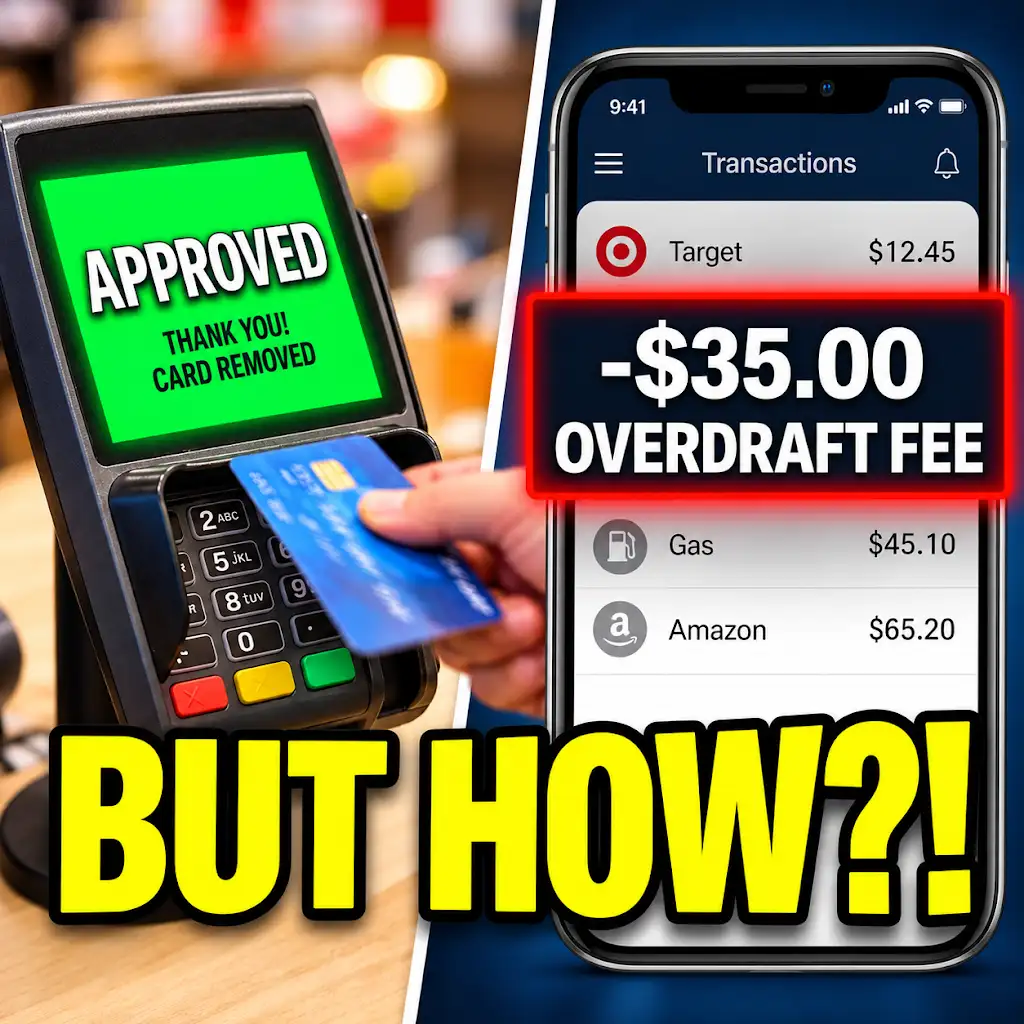
Approved at Checkout… Fee the Next Morning? Why Banks Do This.
FAQs
What are bank alerts?
Bank alerts are notifications sent by your bank to inform you about various activities and transactions related to your account, such as deposits, withdrawals, low balance alerts, and suspicious activities.
How can I set up bank alerts?
To set up bank alerts, log in to your online banking account, navigate to the alerts or notifications section, choose the type of alerts you want to receive (e.g., balance alerts, transaction alerts), select your preferred delivery method (email, text message), and set the alert triggers (e.g., minimum balance threshold).
What are the benefits of setting up bank alerts?
Setting up bank alerts can help you monitor your account activity in real-time, detect any unauthorized transactions promptly, avoid overdraft fees by receiving low balance alerts, and stay informed about your financial transactions without having to check your account constantly.
Can I customize the bank alerts I receive?
Yes, most banks allow you to customize the types of alerts you receive based on your preferences and needs. You can choose the specific events or transactions you want to be notified about, the delivery method for the alerts, and the frequency of notifications.
Are bank alerts secure?
Bank alerts are a secure way for banks to communicate with their customers about account activities. However, it is essential to ensure that you are receiving alerts from your bank’s official communication channels to avoid falling victim to phishing scams or fraud attempts.