Understanding Overdrafts: What It Is and Why You Need to Manage It
You’ve likely encountered the term “overdraft” at some point, perhaps when you’ve seen a notification from your bank or even experienced a declined transaction. But what exactly is an overdraft, and why is it so crucial to understand and manage your bank’s overdraft settings? At its core, an overdraft occurs when you spend more money than you have available in your checking account. Instead of a transaction being automatically declined, your bank may choose to cover the difference, allowing the transaction to go through. This, however, isn’t a free service. Your bank will typically charge you a fee for each overdraft, and in some cases, interest can also accrue on the overdrawn amount.
The allure of an overdraft is clear: it provides a temporary safety net, preventing the embarrassment and inconvenience of a declined purchase, whether it’s at the grocery store, paying a crucial bill, or even a small online transaction. It can feel like a lifeline when unexpected expenses crop up or when you miscalculate your balance. However, relying on overdrafts without understanding the associated costs can quickly become a costly habit. The fees, often substantial, can add up, turning a minor miscalculation into a significant financial burden. Furthermore, frequent overdrafts can negatively impact your credit score, making it harder to secure loans or credit cards in the future. Therefore, taking control of your bank’s overdraft settings is not just about avoiding fees; it’s about maintaining your financial health and peace of mind. It’s about making informed decisions and ensuring your money works for you, not against you.
The Mechanics of an Overdraft: How It Works in Practice
When you initiate a transaction that would bring your account balance below zero, your bank has a decision to make. They can either approve the transaction and allow you to go into overdraft, or they can decline it. This decision often depends on your bank’s specific policies and your overdraft preferences. Some banks automatically enroll you in overdraft protection, meaning they will cover transactions up to a certain limit, while others require you to opt-in. It’s essential to know which category you fall into.
Once a transaction is approved as an overdraft, your account balance becomes negative. This means you owe the bank the amount of the transaction plus any applicable fees. These fees can vary widely. Some banks charge a flat fee per overdraft, which can range from \$25 to \$35 or more. Others might have a tiered fee structure, where the fee increases with the amount of the overdraft. In addition to the per-transaction fee, some banks may also charge a daily overdraft fee if your account remains negative for an extended period. This can quickly escalate the cost of a single overdraft into a much larger sum. Furthermore, if you don’t bring your account back into positive territory within a specific timeframe, your bank may start charging interest on the overdrawn amount, further increasing your debt. Understanding these different fee structures is the first step in avoiding unnecessary charges. It’s not a complex system, but it’s one that carries significant financial implications if not properly managed.
Your Overdraft Protection Options: Different Paths to Avoid Fees
Banks offer various ways to help you manage or avoid overdraft fees. These options are designed to provide a buffer and prevent your account from falling into negative territory, or at least to mitigate the impact when it does. Understanding these options and choosing the one that best suits your financial habits is crucial.
Linking to a Savings Account: A Seamless Safety Net
One of the most common and often most affordable overdraft protection options is linking your checking account to a savings account at the same bank. When you attempt to make a transaction that exceeds your checking account balance, the bank will automatically transfer funds from your linked savings account to cover the difference. This transfer typically incurs a much smaller fee than a standard overdraft fee, or in some cases, no fee at all, depending on your bank’s policy. This method offers a smooth and automatic way to avoid overdrafts without you having to actively monitor your checking account balance in real-time. It’s particularly beneficial for those who tend to keep a small cushion in their savings account and want a convenient backup.
How Linking Works in Practice
The process of linking your accounts is usually straightforward. You’ll typically need to visit your bank’s branch, log into your online banking portal, or speak with a customer service representative. You’ll designate a specific savings account as the source for overdraft transfers. Once linked, the system is usually set up to automatically trigger a transfer whenever your checking account balance dips below zero due to a transaction. The amount transferred will be just enough to cover the transaction and bring your checking account balance back to a positive, albeit minimal, figure. Some banks may have a minimum transfer amount, so it’s worth clarifying that detail. The key advantage here is the minimal cost and the automatic nature of the protection, which can prevent those unexpected fee shocks.
Overdraft Line of Credit: A More Formal Credit Facility
Another option is an overdraft line of credit, which is essentially a pre-approved loan that is linked to your checking account. Similar to a credit card, this line of credit allows you to borrow money up to a certain limit to cover overdrafts. When you overdraw your account, funds are drawn from your line of credit. The primary difference from simply getting a loan is that it’s designed to be a continuous facility, replenishing as you make deposits. However, it’s important to understand that this is a form of credit, and you will likely be charged interest on the amount you borrow from your line of credit. The interest rates can vary, and some lines of credit may also have annual fees or other charges associated with them.
Understanding the Costs of a Line of Credit
While a line of credit can prevent declined transactions and overdraft fees, it comes with its own set of costs. You’ll need to be aware of the annual percentage rate (APR) for your overdraft line of credit. This APR will determine how much interest you pay on the borrowed amount. It’s crucial to compare these rates with other forms of credit, such as personal loans or credit cards, to ensure it’s the most cost-effective option for your needs. Some banks may also charge a small fee each time funds are transferred from your line of credit to your checking account, although this is often less than a standard overdraft fee. Additionally, if you have a line of credit, you’ll want to monitor your credit utilization, as a consistently high utilization could impact your credit score. The advantage of a line of credit is its flexibility for larger or more frequent overdrafts, but it requires careful management of interest payments.
Opting Out of Overdraft Coverage: The Strict But Fee-Free Approach
For those who prefer to avoid any form of overdraft fees or interest charges altogether, the most straightforward approach is to opt out of overdraft coverage. When you opt out, any transaction that would result in your checking account balance falling below zero will simply be declined. This means no transaction will be processed, and you won’t incur any overdraft fees. This is a strict but effective way to ensure you never go into debt with your bank due to overdrafts. It forces you to be more diligent in tracking your spending and ensuring you have sufficient funds before making any purchases.
The Discipline of Declining Transactions
Opting out of overdraft coverage requires a high degree of financial discipline. You must be proactive in monitoring your account balance and anticipating upcoming expenses. This might involve using budgeting apps, meticulously tracking every transaction in a notebook, or setting up low balance alerts. While it can be frustrating to have a transaction declined, it’s a clear signal that you need to re-evaluate your spending or your available funds. This approach can be particularly beneficial for individuals who are prone to impulse spending or who are working on improving their financial habits. The key is to view declined transactions not as a failure, but as a reminder to stay on track with your budget and to ensure your financial well-being.
If you’re looking to understand more about bank overdraft settings and how to check them, you might find this related article helpful. It provides a comprehensive guide on managing your overdraft effectively and ensuring you stay informed about your account status. To read more, visit the article at How to Check Bank Overdraft Settings.
Navigating Your Bank’s Online Portal and Mobile App

Modern banking is increasingly digital, and your bank’s online portal and mobile app are your primary tools for managing your accounts, including your overdraft settings. These platforms are designed to be user-friendly, offering convenient access to your financial information and enabling you to make changes to your account preferences with just a few clicks or taps. Understanding how to navigate these digital tools is essential for staying in control of your finances and avoiding unexpected fees.
Locating Your Overdraft Settings: A Step-by-Step Guide
The exact location of your overdraft settings within your bank’s online portal or mobile app can vary from one institution to another. However, most banks follow a similar pattern. Typically, you’ll need to log in to your account and then navigate to a section related to your checking account management or account services. Look for options like “Account Settings,” “Manage Account,” “Overdraft Options,” or “Overdraft Protection.”
Once you’ve found the relevant section, you should see an overview of your current overdraft choices. This might include information about whether you are enrolled in a particular overdraft program, the limits associated with it, and the associated fees. If you have multiple checking accounts, make sure you are viewing the settings for the specific account you want to manage. Many platforms allow you to switch between accounts easily. If you’re having trouble locating the settings, don’t hesitate to use the search function within the app or website, or consult your bank’s help section for guidance.
Accessing and Modifying Preferences
After locating your overdraft settings, you should be able to see your current selections. This is where you can review your existing choices and make any necessary changes. For example, if you are currently enrolled in a standard overdraft program and wish to switch to linking your savings account, you would typically select that option here. If you want to opt out of overdraft coverage entirely, you will also find that option in this section.
When you make changes, be sure to carefully review the details provided by the bank. This might include a confirmation of the new settings, any new fees associated with the change, and the effective date of the modification. It’s also a good practice to take a screenshot or save a confirmation email of any changes you make, just in case there’s any discrepancy later. Some banks may require you to re-authenticate your identity before confirming significant changes to your account settings, which is a standard security measure.
Setting Up Alerts: Your Digital Early Warning System
Beyond actively managing your overdraft settings, a proactive approach involves utilizing your bank’s alert system. Most online banking platforms and mobile apps allow you to set up customizable alerts that notify you of specific account activity. These alerts can be invaluable for staying informed about your balance and avoiding unexpected overdrafts.
Customizing Low Balance Notifications
One of the most important alerts you can set up is a low balance notification. This alert will notify you when your checking account balance drops below a certain threshold that you define. For example, you might set an alert for when your balance falls below \$100 or \$200. This gives you ample warning that your funds are running low, allowing you to adjust your spending or make a deposit before you get close to an overdraft situation. You can often customize the notification method as well, choosing to receive alerts via email, text message, or push notification to your mobile device.
Tailoring Alerts to Your Spending Habits
The effectiveness of low balance alerts depends on how you tailor them to your individual spending habits. Consider your typical monthly expenses, bill payment dates, and average daily balance. If you know you have a large bill due on the 15th of the month, you might set a higher low balance threshold a few days prior to that date to ensure you have sufficient funds available. Conversely, if you tend to make many small purchases throughout the day, you might opt for a more frequent or slightly lower threshold. Experimenting with different thresholds can help you find the sweet spot that provides timely warnings without overwhelming you with unnecessary notifications. Remember, the goal is to receive actionable information that helps you prevent overdrafts.
Transaction Activity Alerts: Staying Informed About Every Dollar
In addition to low balance alerts, consider setting up transaction activity alerts. These alerts can notify you every time a transaction occurs on your account, or they can be customized to alert you for specific types of transactions, such as large withdrawals or online purchases. This provides a real-time overview of your account activity, allowing you to quickly identify any unauthorized transactions or simply keep a close eye on your spending. If you see a transaction you don’t recognize, you can immediately contact your bank to investigate. This level of detail can be particularly helpful if you share an account with someone or if you are concerned about potential fraud.
Responding Swiftly to Unusual Activity
The power of transaction alerts lies in your ability to respond swiftly to unusual activity. If you receive an alert for a purchase you didn’t make, you can immediately report it to your bank, often through the app itself. Early reporting is crucial for minimizing your liability in cases of fraud. Even if the transactions are legitimate, these alerts can help you stay on top of your budget. For example, if you’re surprised by the total amount of small purchases at the end of the week, these alerts can serve as a tangible reminder to be more mindful of your spending in the future. It’s about creating a consistent feedback loop that keeps you engaged with your account activity.
Understanding the Costs and Consequences of Overdrafting

While the immediate convenience of an overdraft might seem appealing, it’s crucial to understand the financial ramifications. Banks charge fees for overdrafts, and these charges can add up quickly, impacting your overall financial health. Beyond the direct fees, frequent overdrafts can also have a more significant, long-term effect on your creditworthiness.
If you’re looking to manage your finances more effectively, understanding your bank’s overdraft settings is crucial. You can easily check your overdraft limits and fees by visiting your bank’s online portal or mobile app. For a more in-depth guide on how to navigate these settings, you might find it helpful to read this related article on bank overdrafts. It provides valuable insights and tips that can assist you in making informed decisions about your banking options. To explore this further, check out the article here.
The Fee Structure: What You’ll Be Charged
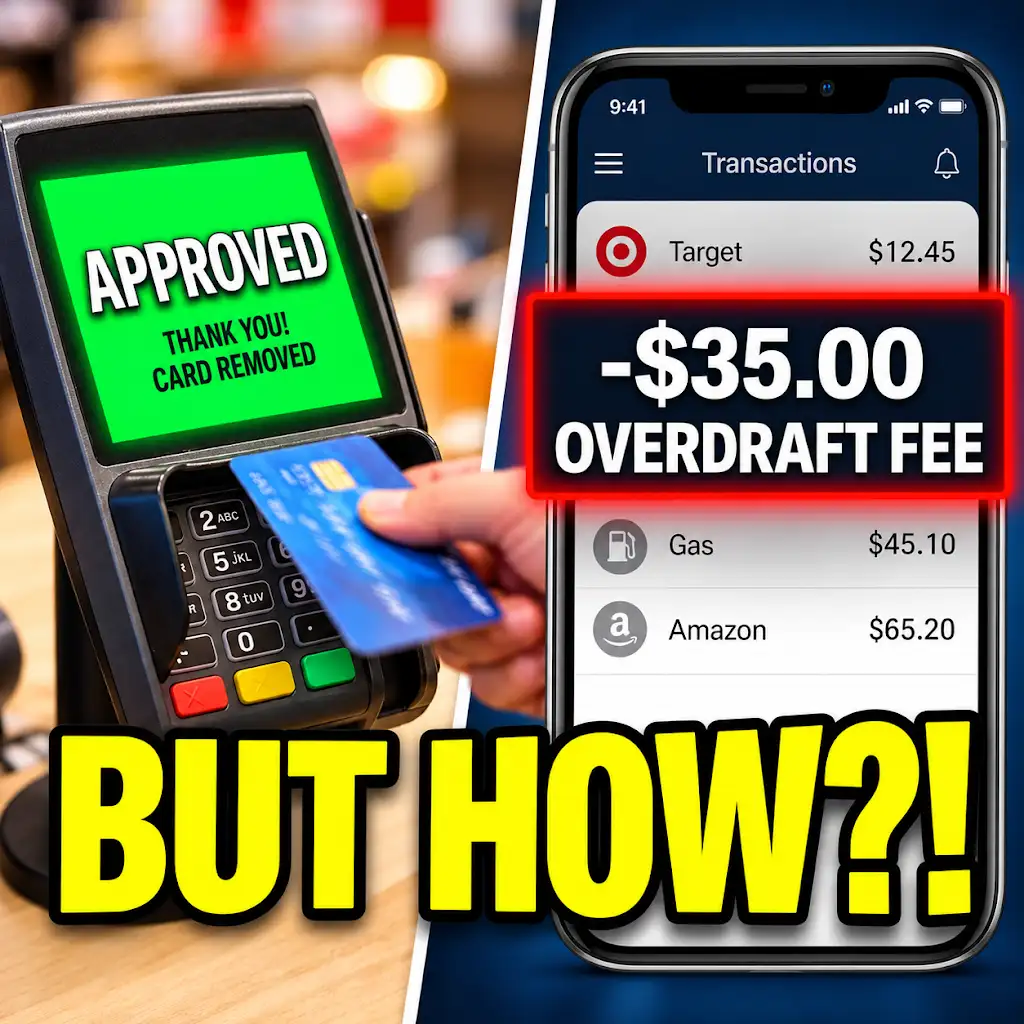
The most common consequence of overdrafting is the imposition of overdraft fees. These fees are charged by your bank each time you overdraw your account. It’s important to note that the amount of these fees can vary significantly between banks. Some banks charge a flat fee per overdraft, which can range from \$25 to \$35 or even more. For example, if you make three separate transactions that result in overdrafts on the same day, you could be charged three separate fees.
In addition to per-transaction fees, some banks may also charge a daily overdraft fee. This fee is applied if your account remains in a negative balance for a certain number of consecutive days. This can turn a single, minor overdraft into a significantly larger expense if not addressed promptly. Furthermore, some banks might have a grace period, allowing you to bring your account back into positive territory within a few business days without incurring a fee. However, this grace period varies, and it’s essential to know your bank’s specific policy. Always check your bank’s fee schedule, which is usually available on their website or at a branch, to understand the exact charges you might face.
Interest Charges on Overdrawn Funds
Beyond immediate fees, if your account remains overdrawn for an extended period, your bank may also start charging interest on the overdrawn amount. This is akin to taking out a short-term loan from the bank, and you’ll be charged interest on the principal amount that you owe. The interest rates can vary widely, and they are often quite high, making it even more expensive to remain in an overdraft situation. This is why it’s so critical to rectify an overdrawn balance as quickly as possible. The longer you remain in debt to the bank, the more interest you will accrue, further increasing the amount you owe. This interest charge can be a significant hidden cost of overdrafts that many people underestimate.
Calculating the True Cost of Overdraft Debt
To truly grasp the cost of overdraft debt, consider a hypothetical scenario. Suppose you overdraw your account by \$50, and your bank charges a \$30 overdraft fee. That
Approved at Checkout… Fee the Next Morning? Why Banks Do This.
FAQs
1. How can I check my bank’s overdraft settings?
To check your bank’s overdraft settings, you can log in to your online banking account or contact your bank’s customer service. The overdraft settings are usually listed in the account details or settings section of your online banking platform.
2. What information is typically included in a bank’s overdraft settings?
A bank’s overdraft settings usually include details such as the overdraft limit, overdraft fees, interest rates on overdrafts, and any specific terms and conditions related to overdraft usage. It is important to review this information carefully to understand how overdrafts work with your account.
3. Can I customize my bank’s overdraft settings?
Some banks may allow customers to customize their overdraft settings, such as setting a specific overdraft limit or opting out of overdraft protection altogether. Check with your bank to see if they offer any customization options for overdraft settings.
4. What should I do if I have questions or concerns about my bank’s overdraft settings?
If you have questions or concerns about your bank’s overdraft settings, it is recommended to contact your bank’s customer service for clarification. They can provide you with more information about how overdrafts work with your account and address any specific concerns you may have.
5. Are there any fees associated with changing my bank’s overdraft settings?
Some banks may charge a fee for changing overdraft settings, such as increasing or decreasing the overdraft limit. It is advisable to check with your bank to see if there are any fees associated with making changes to your overdraft settings before proceeding.