You’ve probably heard about Flexible Spending Accounts (FSAs) and the tax advantages they offer. You contribute pre-tax dollars to your FSA, and then you use that money for eligible medical or dependent care expenses. It sounds great, right? But when tax season rolls around, you might find yourself staring at IRS Form 2441, tasked with figuring out how to report those FSA contributions and reimbursements. Don’t panic! This guide will walk you through filing IRS Form 2441, often referred to as the “Child and Dependent Care Expenses” form, which is where you’ll report your Dependent Care FSA (DCFSA) activity. While the form’s primary purpose is to claim the dependent care tax credit, it’s also where you account for the tax-free withdrawals from your DCFSA. Let’s break it down, step by step, so you can navigate it with confidence.
Understanding IRS Form 2441 and Your Dependent Care FSA
Before you even think about filling out a single box, it’s crucial to understand what IRS Form 2441 is all about and how it relates to your Dependent Care FSA. This form is primarily designed to help you claim the Child and Dependent Care Tax Credit. However, if you have a DCFSA, you’ll use this form to reconcile the tax-free nature of your FSA contributions with the rules governing the tax credit. The IRS wants to ensure you’re not getting a double tax benefit – both by contributing pre-tax dollars to your FSA and then also claiming a tax credit for those same expenses. Form 2441 helps them track this.
What is a Dependent Care FSA (DCFSA)?
A Dependent Care FSA is an employer-sponsored benefit that allows you to set aside money from your paycheck, before federal and state income taxes are deducted, to pay for eligible care expenses for your qualifying dependents. These dependents are typically children under age 13 or a spouse or other dependent who is physically or mentally incapable of self-care. The purpose of this care is so that you (and your spouse, if filing jointly) can work, look for work, or attend school full-time. Think of it as a tax-advantaged way to manage the costs associated with childcare, eldercare, or other forms of dependent care that enable you to maintain employment.
The Purpose of IRS Form 2441
IRS Form 2441, officially titled “Child and Dependent Care Expenses,” serves a dual purpose when you have a DCFSA. Firstly, it’s the mechanism through which you claim the Child and Dependent Care Tax Credit. This credit can reduce your tax liability dollar-for-dollar. Secondly, and most importantly for DCFSA users, it’s where you report the amounts you contributed to your DCFSA and the amounts you withdrew from it for eligible care expenses. The IRS uses this information to ensure that the amounts reimbursed by your DCFSA are excluded from your taxable income, and to prevent you from claiming both the DCFSA exclusion and the tax credit for the same expenses. Essentially, it’s a reconciliation form that ensures tax fairness.
Key Information You’ll Need Before You Start
Gathering the necessary information before you begin filling out Form 2441 will make the process much smoother. Missing documents or incorrect data can lead to delays or errors in your tax filing. Think of this as your pre-flight checklist.
Dependent Care Provider Information
You’ll need detailed information about each person or organization that provided care for your qualifying dependents. This includes:
- Name: The full legal name of the care provider.
- Address: The provider’s complete mailing address.
- Taxpayer Identification Number (TIN): This is usually the provider’s Social Security Number (SSN) if they are an individual, or their Employer Identification Number (EIN) if they are an organization (like a daycare center). Crucially, you must obtain this information from your provider. If they refuse to give it to you, you may still be able to claim the credit or exclusion, but you’ll need to complete Form W-10, Dependent Care Provider’s Identification, and make a reasonable effort to get the TIN.
- Total Amount Paid to Each Provider: The total amount you paid to each provider during the tax year for eligible care expenses.
Your Dependent Care FSA Information
You’ll also need documentation related to your DCFSA. This information is usually found on statements provided by your employer or the FSA administrator. You’ll need:
- Total Amount Contributed to Your DCFSA: This is the sum of all pre-tax dollars deducted from your pay for your DCFSA during the tax year.
- Total Amount You Received in Reimbursements from Your DCFSA: This is the total amount of money you were paid back from your DCFSA for eligible care expenses during the tax year. This amount should match the eligible expenses you paid out-of-pocket.
Dependent Information
You’ll need to identify your qualifying dependents for whom you incurred care expenses. For each dependent, you’ll need:
- Name: The dependent’s full legal name.
- Social Security Number (SSN): The dependent’s SSN.
Your and Your Spouse’s Information
If you are married and filing jointly, you’ll need information for both yourself and your spouse. This includes:
- Your SSN and your spouse’s SSN.
- Details about your work or school status: The IRS needs to know that the care was necessary for you to work, look for work, or attend school full-time. This includes information about your workdays and hours, and your spouse’s if applicable.
If you’re looking for guidance on how to file IRS Form 2441 for the Child and Dependent Care Expenses Credit, you may find it helpful to read a related article that provides detailed instructions and tips. This resource can help you navigate the complexities of the form and ensure that you maximize your potential tax benefits. For more information, check out this article on how to file IRS Form 2441 at How Wealth Grows.
Navigating the Sections of Form 2441

IRS Form 2441 is structured into several parts, each designed to collect specific information. For those with a DCFSA, understanding how each part relates to your FSA is key. You won’t necessarily fill out every single part, but it’s important to know what each section is for.
Part I: Identifying Your Qualifying Person(s)
This section is straightforward. You’ll list the names and Social Security Numbers of the individuals for whom you paid care expenses.
Listing Your Qualifying Dependents
In Part I, lines 1 through 4, you’ll enter the required information for each qualifying person. A qualifying person is someone who meets specific criteria, generally:
- Your dependent child who was under age 13 when the care was provided.
- Your spouse who was physically or mentally incapable of self-care and lived with you for more than half the year.
- Someone else you could claim as a dependent (or could have claimed, but for certain reasons like gross income, they didn’t file a return or could be claimed by someone else) who was physically or mentally incapable of self-care and lived with you for more than half the year.
You’ll need their full name and SSN. If you have more than two qualifying persons, you can attach a separate statement with the same information for each additional person.
Part II: Expenses Paid for Care
This is where you detail the payments you made for dependent care services. If you have a DCFSA, this part is crucial for reconciling your FSA reimbursements with the IRS limits.
Recording Your Eligible Care Expenses
In Part II, you’ll list the names of the care providers and the total amount you paid to each provider during the tax year. This includes amounts paid directly by you and any amounts paid by your DCFSA. You will use the information you gathered about your providers in the previous step.
Important Note for DCFSA Users: While you list all amounts paid to providers here, the amounts reimbursed by your DCFSA will be handled differently in later parts of the form. You are essentially reporting all expenses here, and then the form will adjust for the tax-free nature of the FSA reimbursements.
Part III: Exclusion of Dependent Care Benefits
This is the core section for DCFSA users. Here, you’ll calculate the amount of your DCFSA contributions that are excludable from your gross income.
Calculating Your DCFSA Exclusion Amount
In Part III, you’ll be asked to report:
- The amount you paid for dependent care services (from Part II, line 8).
- The total amount of dependent care benefits you received from your employer (this is your total DCFSA contributions).
- The lesser of your earned income or your spouse’s earned income (if married filing separately, use your own earned income).
- The maximum amount of expenses that can be excluded (this is typically $5,000 per household, or $2,500 if married filing separately).
You will then compare these numbers according to the instructions on the form to determine the amount of your DCFSA benefits that you can exclude from your taxable income. This is the amount that was reimbursed tax-free from your FSA.
Crucial Reconciliation: The form guides you to take the lesser of the total expenses you paid and the amount your employer provided in dependent care benefits. This prevents you from excluding more than you actually spent on eligible care or more than the IRS limit. If your DCFSA reimbursements are less than your total eligible expenses, you may be able to claim the remaining eligible expenses as a tax credit in Part IV.
Part IV: Calculating the Dependent Care Tax Credit
If your DCFSA reimbursements do not cover all of your eligible expenses, you may be able to claim the remaining eligible expenses as a tax credit.
Determining Your Tax Credit Eligibility
In Part IV, you will calculate the amount of your eligible expenses that are not covered by your DCFSA. You will then apply a percentage to this remaining amount to determine your tax credit. The percentage is based on your adjusted gross income (AGI).
- If your AGI is $15,000 or less, the credit is 35%.
- If your AGI is between $15,001 and $17,000, the credit is 30%.
- If your AGI is between $17,001 and $19,000, the credit is 25%.
- If your AGI is between $19,001 and $21,000, the credit is 20%.
- If your AGI is between $21,001 and $23,000, the credit is 15%.
- If your AGI is more than $23,000, the credit is 10%.
Important Consideration: You cannot claim the tax credit on expenses that were reimbursed by your DCFSA. Form 2441 is designed to prevent this double-dipping. The calculation in Part III ensures that the tax-free portion of your FSA reimbursements is correctly accounted for, and Part IV then looks at any remaining eligible expenses for the tax credit.
Part V: Special Rules for Head of Household and Marital Status
This section addresses specific situations, primarily for married couples filing separately or individuals claiming the credit as Head of Household.
Addressing Specific Filing Situations
- Married Filing Separately: If you are married but filing separately, the rules for claiming the dependent care credit are stricter. Generally, you can only claim the credit if you lived apart from your spouse for at least the last 6 months of the tax year. You’ll also have lower limits on expenses ($2,500 instead of $5,000).
- Head of Household: If you are filing as Head of Household, you’ll need to ensure you meet the requirements for this filing status. Generally, this involves paying more than half the cost of keeping up a home for a qualifying child or relative.
This section helps the IRS verify that you meet the specific criteria for claiming the credit based on your marital and household status. For most married couples filing jointly, this part might not require much action.
Completing Form 2441 with Your FSA Details
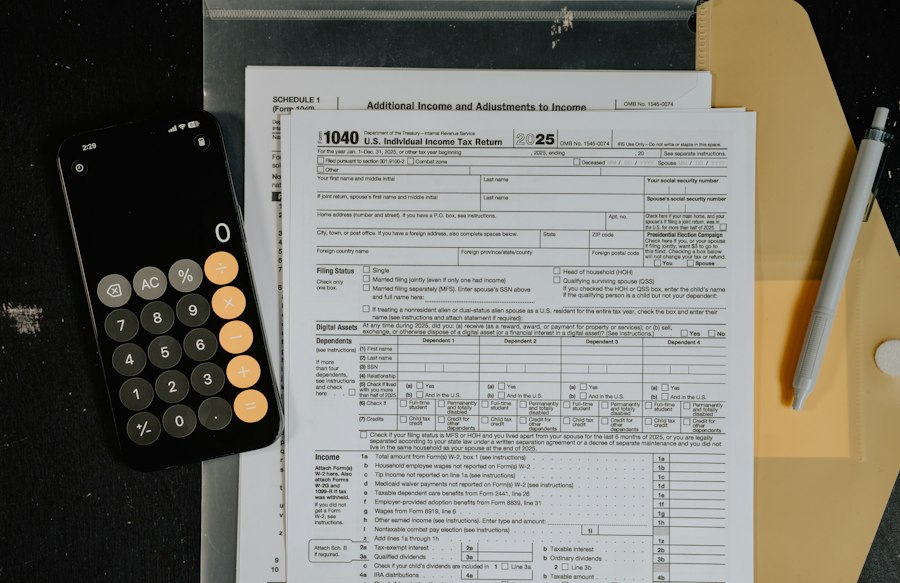
Now that you understand the parts of Form 2441, let’s walk through how to fill it out specifically when you have a Dependent Care FSA. The key is to correctly report the amounts that went into your FSA and the amounts that came out.
Step-by-Step Filling for DCFSA Users
- Part I: Qualifying Person(s): Enter the names and SSNs of your qualifying dependents (children under 13, or incapacitated individuals) in lines 1-4.
- Part II: Expenses Paid for Care:
- In line 5, enter the total amount you paid for care services for your qualifying person(s) during the year. This includes amounts you paid out-of-pocket and amounts reimbursed by your DCFSA.
- In lines 6 and 7, enter the name(s) and address(es) of your care provider(s) and their TIN(s) (SSN or EIN).
- In line 8, enter the total amount you paid to each provider listed in lines 6 and 7. This should sum up to the amount in line 5. If you received reimbursements from your DCFSA, ensure that the amount you paid to the provider aligns with what you reported to your FSA for reimbursement.
- Part III: Exclusion of Dependent Care Benefits: This is where your DCFSA information is critical.
- In line 9, enter the total amount of dependent care benefits you received from your employer. This is the total amount contributed to your DCFSA from your paychecks during the tax year. This figure should be available on your W-2 form, typically in Box 10 (“Dependent Care Benefits”).
- In line 10, enter the total amount you paid for the care of your qualifying person(s). This should be the same as Part II, line 5.
- In line 11, enter your earned income. If married filing jointly, enter the lesser of your earned income or your spouse’s earned income.
- In line 12, enter the dollar amount from line 10 (total expenses) or line 11 (earned income), whichever is less. However, if you are married filing separately, you cannot use your spouse’s earned income, and the limit is $2,500, not $5,000.
- In line 13, enter $5,000 ($2,500 if married filing separately).
- In line 14, enter the smallest of the amounts from lines 9, 10, 11, 12, or 13. This is your initial calculation of your excludable DCFSA benefits.
- **Crucially, you must also ensure that the amount you are excluding is not more than the amount you actually received in reimbursements from your DCFSA.** Your DCFSA statements will show the total reimbursements. If your DCFSA reimbursements are less than the amount calculated on line 14, you must reduce the excludable amount to match your reimbursements. The instructions for Form 2441 provide detailed guidance on this reconciliation. In essence, you can only exclude what you actually received tax-free from your FSA.
- Part IV: Calculating the Dependent Care Tax Credit:
- In line 16, enter the amount from Part III, line 10 (total expenses).
- In line 17, enter the amount from Part III, line 9 (total DCFSA benefits received). This is the amount that was excludable from your income.
- In line 18, subtract line 17 from line 16. This is the amount of eligible expenses not reimbursed by your DCFSA. This is the amount you may be able to use for the tax credit.
- In line 19, enter your Adjusted Gross Income (AGI) from your Form 1040.
- In line 20, determine the applicable percentage based on your AGI. Refer to the instructions for Form 2441 to find the correct percentage.
- In line 21, multiply the amount on line 18 by the percentage on line 20. This is your potential dependent care tax credit.
- In line 22, enter the amount from line 21. This is your calculated dependent care tax credit.
- Part V: Special Rules: If you are married filing separately or have other special circumstances, complete this part according to the IRS instructions.
- Final Transfer to Form 1040:
- The total excludable DCFSA amount from Part III, line 14 (after any necessary reductions to match actual reimbursements), is reported on your Form 1040, Schedule 1 (Form 1040), line 2.
- The calculated dependent care tax credit from Part IV, line 22, is reported on your Form 1040, Schedule 5 (Form 1040), line 12z.
Key Takeaway: The most common point of confusion for DCFSA users is how the FSA reimbursements interact with the tax credit. Remember, you use your DCFSA for tax-free withdrawals. If your reimbursements cover all your eligible expenses up to the $5,000 limit, you won’t have any remaining expenses to claim as a tax credit. If your reimbursements are less than your eligible expenses, you can potentially claim the difference as a tax credit. Always refer to the official IRS instructions for Form 2441 for the most accurate and up-to-date guidance.
Common Pitfalls and How to Avoid Them
Even with a step-by-step guide, tax forms can be tricky. Understanding common mistakes that people make when filing Form 2441 with an FSA can help you steer clear of them.
Recognizing and Rectifying Common Errors
- Not obtaining Provider TINs: The IRS requires you to provide the Taxpayer Identification Number (TIN) of your dependent care provider. Failure to do so can result in the IRS disallowing the expenses. If a provider refuses to give you their TIN, you must make a reasonable effort to obtain it and, if unsuccessful, file Form W-10 with the IRS.
- Confusing Medical FSA with Dependent Care FSA: Remember that Form 2441 is specifically for Dependent Care FSAs. Medical FSAs are reported differently, typically on Schedule A (Form 1040) if you itemize deductions and the expenses exceed a certain percentage of your AGI. Ensure you are using the correct form for the correct FSA.
- Double-Dipping: This is the most significant pitfall. You cannot claim both the tax-free exclusion from your DCFSA and the dependent care tax credit for the same expenses. Form 2441 is designed to prevent this. Ensure your calculations in Part III and Part IV accurately reflect the expenses covered by your FSA versus those eligible for the credit. If your DCFSA reimbursed you for $4,000 in eligible expenses, you cannot then claim those same $4,000 as a tax credit.
- Exceeding Contribution Limits: While your employer sets contribution limits for your DCFSA, be aware of the IRS’s overall limits for the exclusion ($5,000 per household).
- Inaccurate Earned Income Calculations: If married filing jointly, the lesser of your or your spouse’s earned income is a limiting factor for both the exclusion and the credit. Ensure these figures are accurate.
- Using Outdated Forms: Always download the latest version of Form 2441 from the IRS website. Tax laws and form instructions can change annually.
- Not Keeping Good Records: Maintain detailed records of all your dependent care expenses, provider information, and your DCFSA statements. This is essential for accurate filing and in case of an IRS audit.
By being aware of these common errors, you can approach Form 2441 with more confidence and ensure your tax return is accurate and compliant.
If you’re looking for guidance on how to file IRS Form 2441 for the Child and Dependent Care Expenses, you might find it helpful to check out a related article that provides detailed instructions and tips. This resource can help clarify any questions you may have about the process and ensure that you complete the form accurately. For more information, you can visit this helpful guide that outlines the necessary steps and requirements.
Finalizing Your Tax Return with FSA Information
| Step | Description | Required Documents | Filing Deadline | Where to File |
|---|---|---|---|---|
| 1 | Obtain Form 2441 (Child and Dependent Care Expenses) | Form 2441 (available on IRS website) | Before tax return due date (typically April 15) | Include with your federal income tax return (Form 1040) |
| 2 | Gather dependent care provider information | Provider’s name, address, and Tax Identification Number (TIN) | Before filing your tax return | N/A |
| 3 | Calculate qualifying expenses | Receipts or records of dependent care expenses paid | Before filing your tax return | N/A |
| 4 | Complete Form 2441 | Information from steps 2 and 3 | Before filing your tax return | Attach to Form 1040 |
| 5 | File your tax return with Form 2441 attached | Completed Form 2441 and Form 1040 | Typically April 15 (or extended deadline if applicable) | Mail to IRS address or e-file electronically |
Once you’ve meticulously filled out Form 2441, the final step is to integrate the information into your main tax return, Form 1040. This is where the numbers you’ve calculated on Form 2441 make their way to your overall tax picture.
Transferring Information to Your Form 1040
After you’ve completed Form 2441 and are satisfied with your calculations, you need to report the results on your primary tax return, Form 1040.
- Excludable DCFSA Benefits: The amount from Part III, line 14 (after ensuring it does not exceed your actual DCFSA reimbursements), is reported on Form 1040, Schedule 1 (Form 1040), line 2, “Dependent care benefits.” This line subtracts those benefits from your gross income, effectively reducing your taxable income.
- Dependent Care Tax Credit: The amount from Part IV, line 22, is your calculated dependent care tax credit. This credit is then reported on Form 1040, Schedule 5 (Form 1040), line 12z, “Other credits.” This credit directly reduces your tax liability dollar-for-dollar.
Review and Verification: Before submitting your tax return, it’s always a good idea to review all the forms and schedules. Double-check that the figures from Form 2441 have been correctly transferred to your Form 1040 and its schedules. Ensure that your Social Security Numbers and other personal information are accurate. If you’re using tax preparation software, it will guide you through this transfer process. However, understanding the underlying mechanics of where the numbers go is crucial for accuracy and for being able to answer any questions the IRS might have.
By following these steps and paying close attention to the details, you can successfully file IRS Form 2441 and accurately report your Dependent Care FSA contributions and reimbursements, maximizing your tax benefits while staying compliant with IRS regulations.

The $7,500 Childcare FSA Mistake to Avoid in 2026
FAQs
What is IRS Form 2441 for FSAs?
IRS Form 2441 is used to claim the Child and Dependent Care Expenses Credit, which can help reduce the amount of taxes owed for expenses related to child or dependent care.
Who is eligible to file IRS Form 2441 for FSAs?
Individuals who have incurred expenses for the care of a child under the age of 13 or a dependent who is physically or mentally incapable of self-care may be eligible to file IRS Form 2441 for FSAs.
What expenses can be claimed on IRS Form 2441 for FSAs?
Expenses related to child care, daycare, preschool, summer day camp, and other care services for a child or dependent may be claimed on IRS Form 2441 for FSAs.
How do I file IRS Form 2441 for FSAs?
To file IRS Form 2441 for FSAs, you will need to complete the form accurately with information about the care provider, expenses incurred, and any applicable employer-provided dependent care benefits. The completed form should be attached to your tax return.
What is the deadline for filing IRS Form 2441 for FSAs?
IRS Form 2441 for FSAs is typically filed along with your annual tax return. The deadline for filing the form is usually the same as the deadline for filing your tax return, which is typically April 15th unless an extension has been requested.