
You’re probably here because you’ve experienced that sinking feeling – a notification from your bank, or worse, a declined transaction, because your account balance dipped lower than you expected. It’s a common, and often embarrassing, situation. But the good news is, you have the power to prevent it. Setting up a low balance alert for your bank account is one of the simplest yet most effective ways to maintain financial control and avoid those unpleasant surprises. It’s like having a proactive financial guardian, constantly watching your back so you don’t have to. This guide will walk you through the process, step-by-step, making it easy for you to implement this crucial financial tool.
Understanding the Power of Proactive Financial Notifications
Think of a low balance alert as a digital early warning system for your money. In today’s fast-paced world, where transactions happen in an instant, it’s easy for your account balance to fluctuate without you fully realizing it. Direct deposits might be delayed, unexpected bills could hit, or you might simply spend more than you intended on a particular day. Without a way to stay informed, these minor slips can quickly snowball into overdraft fees, declined payments, and a general sense of financial stress.
Low balance alerts change the game. They provide you with timely information, empowering you to make informed decisions before a small oversight becomes a significant problem. You’ll be alerted when your balance drops to a pre-determined threshold, giving you the opportunity to review your recent transactions, adjust your spending, or transfer funds before any negative consequences arise. This proactive approach is fundamental to sound financial management, helping you avoid unnecessary fees and maintain a healthier relationship with your money.
Why a Low Balance Alert is Your Financial Ally
The benefits of setting up this simple alert extend far beyond just avoiding overdrafts. It’s about cultivating financial discipline and peace of mind.
Preventing Costly Overdraft Fees
This is the most immediate and tangible benefit. Overdraft fees can be surprisingly steep, adding significant costs to your financial life. A low balance alert acts as a crucial buffer, preventing you from inadvertently spending money you don’t have and thus avoiding these punitive charges. Imagine saving yourself tens or even hundreds of dollars each year simply by enabling a notification.
Maintaining Your Financial Reputation
Consistently having your transactions declined due to insufficient funds can negatively impact your financial reputation. It can make it harder to secure loans, rent an apartment, or even get approved for certain services. By staying on top of your balance, you demonstrate financial responsibility, which is a valuable asset in all aspects of your life.
Improving Spending Awareness
The act of setting an alert encourages you to think about your typical spending patterns and income flow. This introspection can lead to a better understanding of where your money is going and help you identify areas where you might be overspending. The alert becomes a gentle nudge, prompting you to be more mindful of your financial habits.
Reducing Financial Stress
Financial worry is a significant source of stress for many people. The uncertainty of whether you have enough funds for upcoming bills or daily expenses can be a constant burden. Knowing you’ll be alerted before your balance becomes critically low provides a sense of security and reduces that pervasive anxiety.
If you’re looking to stay informed about managing your finances effectively, you might find the article on low balance alerts for bank accounts particularly useful. It discusses the importance of setting up notifications to avoid overdraft fees and maintain financial health. For more insights on this topic, you can read the full article here: How Wealth Grows.
Navigating Your Bank’s Digital Landscape to Activate Alerts
The exact steps to set up a low balance alert will vary slightly depending on your bank. However, the general process is remarkably similar across most financial institutions. You’ll typically find these options within your bank’s online banking portal or their mobile banking app. These digital platforms are designed to give you granular control over your accounts, and setting up alerts is a key feature.
Accessing Your Bank’s Online or Mobile Platform
Your first step is to log in to your bank’s website or open their dedicated mobile application. Ensure you are using a secure internet connection, especially when entering your login credentials. Most banks offer robust security measures, but it’s always good practice to be vigilant.
Logging In Securely
Once you’ve navigated to the login page, you’ll be prompted for your username and password. Some banks also employ multi-factor authentication, which might involve a code sent to your phone or a security question. Always keep your login credentials confidential and never share them with anyone. If you’ve forgotten your login details, most platforms have a “Forgot Username” or “Forgot Password” link to help you reset them.
Locating the Alerts or Notifications Section
After successfully logging in, you’ll need to find the section dedicated to account alerts or notifications. This is often found in a menu labeled “Services,” “Account Management,” “Settings,” or “Preferences.” Don’t be discouraged if it’s not immediately obvious; sometimes these features are nested a level or two deep within the account options. Take a moment to explore the different menu items.
Finding and Configuring the Low Balance Alert Feature
Once you’ve located the alerts section, the next step is to find the specific option for low balance notifications. This is usually straightforward, with clear labeling.
Identifying the Low Balance Alert Option
Within the alerts menu, you’ll likely see a list of various notification types you can set up, such as transaction alerts, balance updates, or security alerts. Look for an option that explicitly mentions “Low Balance Alert,” “Balance Threshold,” or something similar. Click on this option to begin the setup process.
Setting Your Preferred Threshold
This is the most crucial part of configuring your alert. You’ll be asked to input a specific dollar amount. This amount represents the threshold below which you want to be notified. Think carefully about what makes sense for your financial situation.
- Consider your typical spending: Do you usually maintain a balance of $1,000 or more? Perhaps setting an alert at $500 or $300 would be appropriate.
- Factor in upcoming expenses: If you know a large bill is due, you might want to set a higher threshold to give yourself ample time to react.
- Avoid setting it too low: Setting an alert at $5 or $10 might mean you receive notifications too frequently, leading to alert fatigue where you start ignoring them. Conversely, setting it too high might defeat the purpose if you’re close to that threshold more often than you realize.
- Think about your buffer: Many people like to maintain a small buffer of “emergency” money. Your low balance alert can help you protect this buffer.
Most banks allow you to set a single threshold. However, some might offer the flexibility to set multiple thresholds, giving you even finer control.
Choosing How You Want to Be Notified
Once you’ve set your balance threshold, you need to decide how you want to receive these alerts. Banks typically offer several convenient options.
Selecting Your Notification Method(s)
You’ll usually have a choice between:
- Email: Alerts are sent to your registered email address. This is a common and reliable method.
- Text Message (SMS): Alerts are sent directly to your mobile phone as a text message. This is often the quickest way to receive notifications.
- Push Notifications (Mobile App): If you use your bank’s mobile app, you can enable push notifications. These appear as pop-up messages on your phone screen, even when you’re not actively using the app.
It’s often a good idea to enable more than one notification method for added security. For instance, receiving both an email and a text message ensures you’re likely to see the alert, even if one of your devices isn’t readily available.
Confirming and Saving Your Settings
After you’ve made your selections, be sure to review all the details – the threshold amount and your chosen notification methods. Most platforms will have a “Save,” “Confirm,” or “Enable” button. Click this to finalize your low balance alert setup. You should receive a confirmation message within the app or on the website, and possibly an email confirming that your alert has been successfully activated.
Tailoring Alerts to Your Unique Financial Habits
Setting up a low balance alert isn’t a one-size-fits-all solution. Your ideal threshold and notification strategy should be as unique as your financial life. By taking a moment to reflect on your spending and income patterns, you can fine-tune your alerts for maximum effectiveness.
If you’re looking for ways to manage your finances more effectively, understanding the importance of low balance alerts for your bank account can be crucial. These alerts can help you avoid overdraft fees and keep your spending in check. For further insights on financial management and tips on maintaining a healthy bank balance, you might find this article helpful here.
Analyzing Your Spending and Income Patterns
Before you even log in to your bank’s portal, take some time to understand your financial rhythm. This self-assessment is key to setting a threshold that genuinely serves you.
Reviewing Recent Transactions
Look back at your last few months of bank statements. What are your typical daily, weekly, and monthly expenditures? Are there any recurring bills that hit your account at specific times? Understanding these patterns will help you gauge how quickly your balance can decrease. For example, if you have significant bills due on the 15th of each month, you might want to set a slightly higher alert leading up to that date.
Considering Your Income Schedule
When do you typically receive your salary or other income? If your income is regular and predictable, you can set a more precise threshold. If your income is more variable, you might want to maintain a slightly larger buffer and set your alert a bit higher to account for potential dips.
Setting a Practical and Effective Threshold
Your threshold is the heart of your low balance alert. It needs to be high enough to give you ample warning but low enough to be a genuine alert, not just a constant reminder of your spending.
Determining Your “Comfort Zone” Balance
What is the minimum balance you feel comfortable having in your account before you start to feel anxious? This is a good starting point for your threshold. For some, this might be $500, while for others it could be $2,000.
Factoring in Known Upcoming Expenses
If you know you have a car payment, rent, or any other significant bill coming up, consider setting your alert a little higher than your absolute minimum to ensure you have enough time to cover it without dipping into your everyday spending money. For instance, if rent is $1,500 and you typically have $2,000 in your account, you might set your alert at $2,200 to ensure you have a buffer after rent is paid.
Using Multiple Alerts (If Available)
If your bank allows, consider setting up multiple low balance alerts with different thresholds. For example:
- Alert 1 (Moderate Low Balance): Set at $1,000. This alerts you if your balance drops significantly but is still healthy. It prompts you to review your spending.
- Alert 2 (Critical Low Balance): Set at $300. This is a more urgent alert, signaling that you need to take immediate action to avoid overdrafts.
This layered approach can provide nuanced financial oversight.
Optimizing Notification Preferences
Once you’ve decided on your threshold, think about how and when you want to receive these alerts to ensure they are actionable.
Choosing the Right Notification Channels
As discussed, email, text, and push notifications are common. For a low balance alert, speed is often of the essence. Text messages and push notifications are generally the fastest. If you tend to check your email more often than your text messages, then email might be your primary choice. However, a text message is often seen immediately.
Setting a Schedule for Notifications (If Possible)
Some banks allow you to specify the times of day you wish to receive alerts. If you know you’ll be busy during certain hours, you might want to schedule alerts for times when you’re more likely to be able to address them. For example, you might not want an alert to ping you at 3 AM. You could restrict notifications to between 8 AM and 9 PM.
Testing Your Alerts
After setting up your alerts, it’s a good idea to test them. You can do this by making a small purchase or transfer that you know will bring your balance close to your alert threshold. This way, you can confirm that you receive the notification and that it arrives in the expected format.
Managing and Adjusting Your Alerts Over Time
Your financial life isn’t static, and neither should be your low balance alerts. As your income, expenses, and financial goals evolve, you’ll need to revisit and adjust your alert settings to ensure they remain relevant and effective. Think of it as a regular financial check-up.
Regular Review and Maintenance of Your Alerts
Just like you wouldn’t ignore a smoke detector, you shouldn’t ignore your low balance alert settings. A proactive approach to managing them will keep them working for you.
Scheduled Review Periods
It’s wise to schedule periodic reviews of your alert settings. Aim to do this at least quarterly, or perhaps semi-annually. A good time to review might be at the end of a financial quarter, or when you’re typically reviewing your overall budget.
How to Access and Modify Existing Alerts
To adjust your alerts, you’ll follow a similar process to setting them up. Log in to your bank’s online banking or mobile app, navigate to the “Alerts” or “Notifications” section. You should see a list of your currently active alerts. From there, you can typically click on an existing alert to edit its threshold, change the notification method, or even delete it if it’s no longer needed.
Adapting Alerts to Changing Financial Circumstances
Life happens. A new job, a change in expenses, or a significant purchase can all necessitate a change in your alert strategy.
Adjusting Thresholds After Income Changes
If you receive a promotion and your income increases, you might be able to maintain a higher balance more easily. This could mean raising your low balance threshold to reflect your new financial standing, allowing you to keep a larger buffer before being notified. Conversely, if your income decreases, you might need to lower your threshold to be alerted sooner to potential shortfalls.
Revising Alerts for New Expenses or Bills
Did you just take out a new loan, start a new subscription service, or welcome a new family member? These events can impact your spending. You’ll need to reassess your typical outflow and adjust your alert threshold accordingly to ensure it still provides adequate warning. For example, if you now have a new monthly car payment, you might need to lower your threshold to account for this additional outflow.
Responding to Increased Spending Habits
Sometimes, we just find ourselves spending more. If you notice you’re receiving low balance alerts more frequently than before, it’s not just a signal to adjust the alert; it’s a signal to examine your spending habits. You might need to lower your threshold temporarily while you work on reining in your expenses.
Deactivating or Pausing Alerts When Necessary
There might be times when you don’t need your low balance alerts active, or you need to pause them temporarily.
When to Consider Pausing or Deactivating Alerts
*
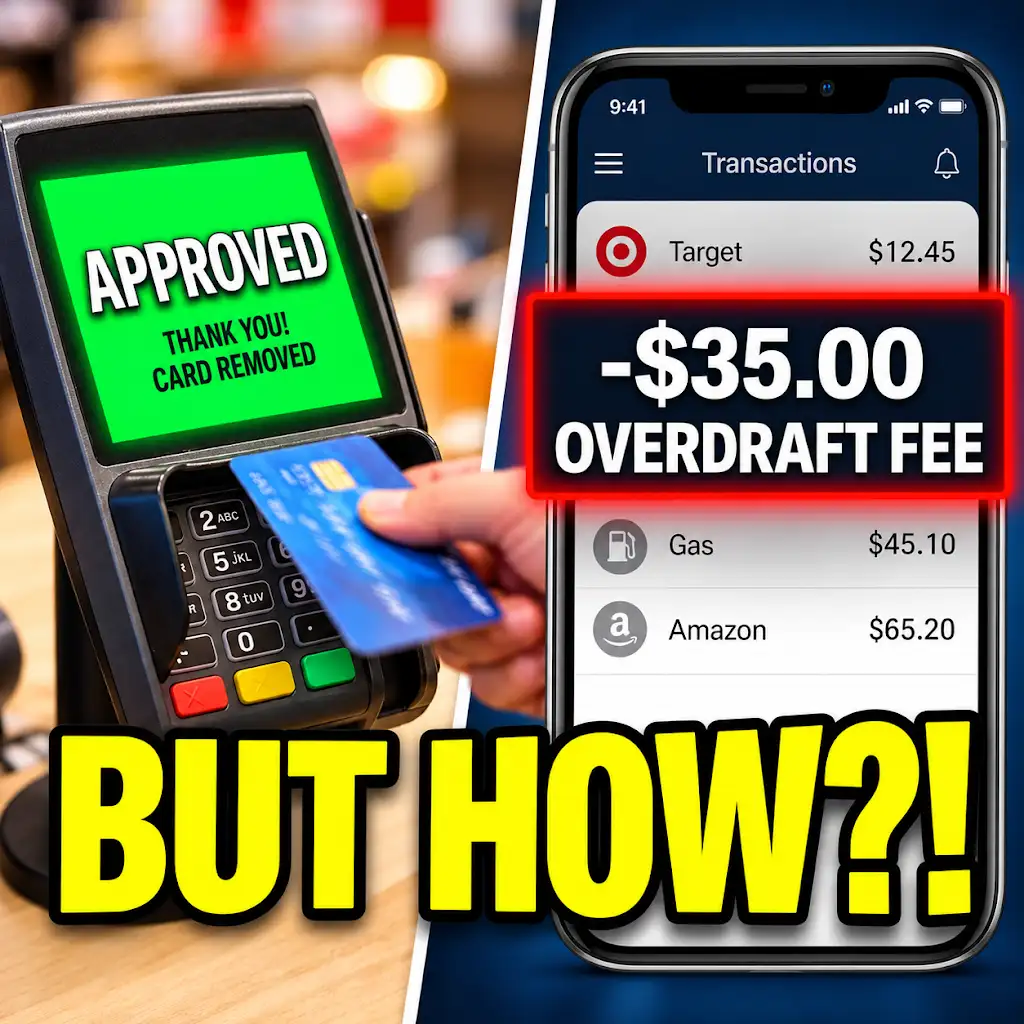
Approved at Checkout… Fee the Next Morning? Why Banks Do This.
FAQs
What is a low balance alert for a bank account?
A low balance alert is a notification sent by a bank to inform account holders that their account balance has fallen below a certain threshold set by the account holder or the bank.
How can I set up a low balance alert for my bank account?
To set up a low balance alert for your bank account, you can usually do so through your online banking portal or mobile banking app. Look for the option to set up alerts and choose the low balance alert feature. You can then specify the threshold amount at which you would like to be notified.
What are the benefits of receiving low balance alerts for my bank account?
Receiving low balance alerts can help you avoid overdraft fees, monitor your spending habits, and take timely action to add funds to your account. It can also provide peace of mind by keeping you informed about your account balance.
Can I customize the threshold amount for low balance alerts on my bank account?
Yes, many banks allow account holders to customize the threshold amount for low balance alerts based on their individual financial needs and preferences. This flexibility enables you to set a level that is most suitable for your situation.
Are low balance alerts a standard feature offered by most banks?
Low balance alerts are a common feature offered by many banks as part of their online banking services. However, the availability and specific details of this feature may vary depending on the financial institution. It is advisable to check with your bank to see if they offer low balance alerts for your account.