Your Memorial Page subscriptions, a digital sanctuary for cherished memories, require ongoing commitment to remain vibrant and accessible. Think of these subscriptions not as mere payments, but as the watering of a digital garden, ensuring the flowers of remembrance continue to bloom for you and future generations. Just as a garden needs tending, your Memorial Page needs its subscription renewed to preserve its content, functionality, and security. This article will guide you through the process of renewing your Memorial Page subscriptions, with a particular focus on the convenience and efficiency offered by QR code integration.
Your Memorial Page serves as a digital repository, a testament to lives lived and loved. It’s a space where stories, photographs, videos, and tributes can be shared and preserved indefinitely. However, this platform, like any digital service, operates on a subscription model. Renewal is the mechanism that ensures the continued hosting, maintenance, and development of these valuable online spaces. Without renewal, critical functions can cease, and the rich tapestry of memories you’ve woven may become inaccessible.
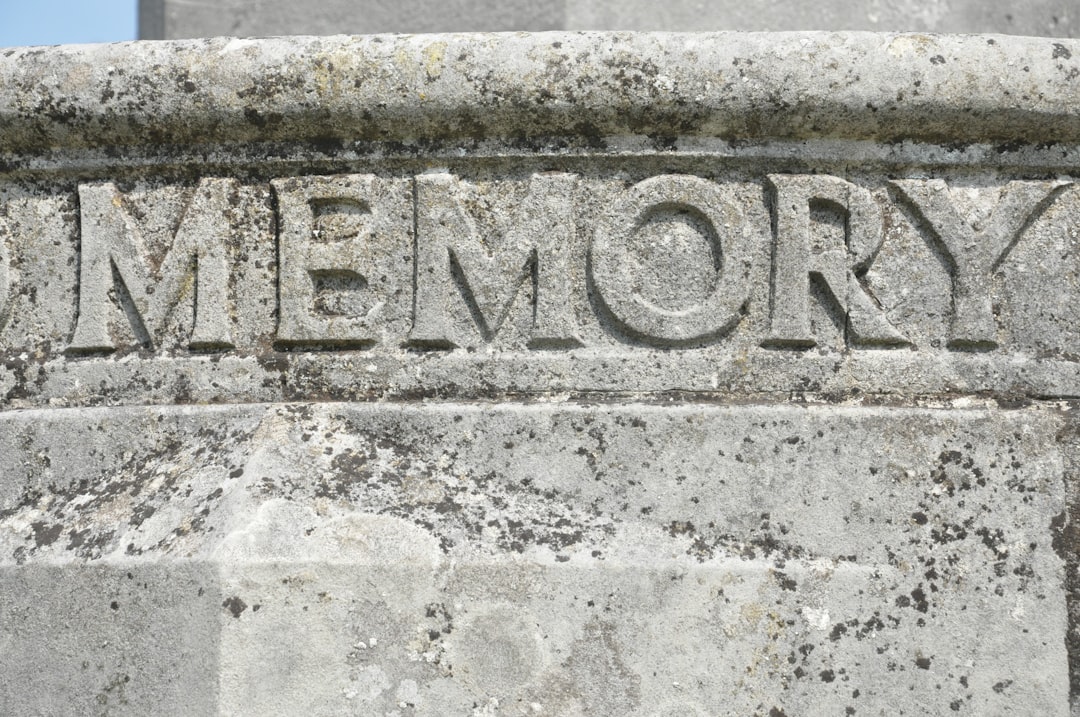
The Digital Tombstone: A Metaphor for Longevity
Consider your Memorial Page as a digital tombstone, designed for permanence. Unlike a physical marker that is subject to the ravages of time and weather, a well-maintained digital memorial can endure for decades, even centuries. However, even the most durable stone requires a foundation and upkeep, which is where your subscription plays a vital role. It is the bedrock upon which your digital legacy is built, and its renewal is the ongoing maintenance that prevents its erosion.
Beyond Basic Hosting: The Features You Preserve
Subscription renewal is not simply about keeping a static webpage online. It unlocks a suite of features that enrich the memorial experience. These can include:
Enhanced Storage Capacity
Often, initial offerings come with limited storage. Renewal may grant you access to increased space for photographs, videos, and longer biographical texts, allowing you to build a more comprehensive narrative.
Advanced Customization Options
Personalizing your Memorial Page is crucial. Renewal can unlock premium templates, font choices, music integration, and other design elements that allow you to craft a truly unique tribute.
Security and Privacy Enhancements
Your subscribers invest in the security of your loved ones’ memories. Renewal ensures that robust security protocols remain active, protecting your page from unauthorized access and data breaches. This is akin to reinforcing the walls of a precious vault.
Interactive Features and Engagement Tools
Many platforms offer features that foster community and remembrance. Renewal might maintain access to guestbooks, condolence management tools, or even interactive timelines, encouraging ongoing engagement with the memorial.
Future Development and Support
Subscription fees often contribute to the ongoing development of the platform, introducing new features and improving existing ones. Renewing your subscription also typically ensures that you have access to customer support should you encounter any issues.
For those interested in enhancing their memorial page experience, a related article discusses the importance of QR code memorial page renewal subscriptions and how they can keep memories alive in a digital format. This insightful piece highlights the benefits of maintaining an updated online presence for loved ones who have passed away. To learn more about this topic, you can read the full article here: How Wealth Grows.
The Evolution of Renewal: Embracing the QR Code
Historically, renewing digital subscriptions has involved navigating through account portals, searching for payment options, and often re-entering credit card details. While functional, this process can sometimes feel cumbersome. The advent of QR codes has revolutionized how we interact with digital services, and Memorial Page subscriptions are no exception. A QR code, a two-dimensional barcode, acts as a gateway, translating visual information into digital commands. For subscription renewal, it offers a streamlined, intuitive pathway.
What is a QR Code?
A QR (Quick Response) code is a black and white square grid that can store data. When scanned by a smartphone or tablet with a QR code reader, it can instantly direct you to a website, present text, or initiate an action, such as opening a payment page. In the context of your Memorial Page subscription, the QR code is a digital key, pre-programmed to unlock the renewal process.
The Convenience of the Scan
Imagine receiving a reminder about your upcoming subscription renewal. Instead of clicking through emails, navigating to a website, and logging in, you can simply pick up your phone, open your camera app, and point it at a QR code. This single action can:
Instantly Direct You to the Renewal Page
The QR code can be embedded within an email, a physical letter, or even displayed on your managed Memorial Page itself. Scanning it bypasses the need for manual searching and navigation, taking you directly to the correct renewal portal.
Pre-populate Information (Where Applicable)
In some advanced implementations, the QR code might even contain encrypted information that pre-fills parts of the renewal form, such as your account identifier, further reducing the data you need to input.
Facilitate Quick Payment Processing
Once on the renewal page, the QR code’s function often extends to facilitating secure and swift payment. This might involve linking directly to a payment gateway that recognizes your account details.
Practical Steps for Renewing Your Memorial Page Subscription with QR Codes

Renewing your Memorial Page subscription using a QR code is designed to be a straightforward process. While specific steps may vary slightly depending on the platform provider, the general workflow remains consistent.
Locating the QR Code for Renewal
The first step is to find the QR code itself. This is typically provided by your Memorial Page service provider in their renewal notifications.
Email Notifications
Most providers will send email reminders as your subscription approaches expiration. These emails will often contain a prominent QR code directly within the message body. Look for an image that resembles a square, pixelated barcode.
Physical Mailings
Some services may still opt for physical mailings, especially for older or less digitally-engaged clientele. These letters will also feature a printed QR code.
Within Your Memorial Page Dashboard
You may also find a QR code displayed on your Memorial Page’s administrative dashboard. This is particularly useful if you are already logged in and checking your account status.
The Scanning Process
Once you have located the QR code, the next step is to scan it using your mobile device.
Using Your Smartphone’s Camera App
Modern smartphones have built-in QR code scanning capabilities directly within their native camera applications.
- Open your camera app.
- Point your camera at the QR code, ensuring it is well-lit and the entire code is within the frame.
- Your phone should automatically detect the QR code and display a notification or prompt with a link.
Using Dedicated QR Code Scanner Apps
If your phone’s camera app doesn’t support QR code scanning, you can download a free QR code scanner app from your device’s app store. The process is similar: open the app, find the scanning function, and point your camera at the code.
Completing the Renewal
After successfully scanning the QR code, you will be directed to a specific webpage. This is where you will finalize the renewal process.
Transitioning to the Renewal Portal
The QR code acts as a direct hyperlink. When scanned, it will launch your device’s web browser and take you to the exact page on the Memorial Page provider’s website where you can initiate and complete the renewal.
Verifying Your Account
Upon arriving at the renewal portal, you may be prompted to verify your identity. This could involve:
- Entering your email address associated with the account.
- Providing your account number or username.
- In some cases, if the QR code contains encrypted identifiers, this step might be minimal or entirely automated.
Selecting Your Renewal Plan
You may have options for renewal terms, such as monthly, yearly, or multi-year plans.
- Review the available plans and their associated costs.
- Select the plan that best suits your needs and budget.
Processing Your Payment
This is the core of the renewal process.
- The renewal portal will display the total cost of your chosen plan.
- You will be presented with various payment methods, which could include:
- Credit or debit card entry.
- Digital wallets (e.g., Apple Pay, Google Pay).
- PayPal or other third-party payment processors.
- Enter your payment details securely. Many platforms employ encryption and comply with industry-standard security protocols to protect your financial information.
Confirmation of Renewal
Once your payment is successfully processed, you will receive a confirmation.
- This confirmation is typically displayed on the webpage.
- You will also likely receive an email confirmation detailing your renewed subscription, the new expiration date, and a receipt for your payment. It is advisable to keep these confirmations for your records.
Addressing Potential Issues and Troubleshooting

While the QR code renewal process is generally robust, occasional issues may arise. Understanding common problems and their solutions can ensure a smooth experience.
Why Isn’t the QR Code Working?
There are several reasons why a QR code might fail to scan or lead you to the wrong place.
Poor Image Quality
- Blurry or Pixelated Code: If the QR code is not printed clearly, or if the image quality is poor on your screen, your scanner may not be able to interpret it. Ensure the code is sharp and well-defined.
- Damaged Code: A torn or smudged physical QR code can render it unreadable. Similarly, screen damage on a device displaying a QR code can cause issues.
Incorrect Scanning Angle or Distance
- Too Close or Too Far: Your device needs to be at an appropriate distance from the QR code for the scanner to focus correctly. Experiment with moving your phone slightly closer or further away.
- Oblique Angle: Try to hold your phone directly in front of the QR code, perpendicular to its surface. Avoid scanning at extreme angles.
Lighting Conditions
- Poor Lighting: Insufficient light can make it difficult for your camera to detect the code. Scan in a well-lit environment.
- Glare: Direct sunlight or strong artificial light can create glare on the QR code, obscuring its patterns. Try to eliminate glare by repositioning yourself or the device.
Outdated Software or App
- Camera App Not Updated: Ensure your smartphone’s operating system and camera app are up-to-date. Older versions may have less sophisticated QR scanning capabilities.
- Scanner App Issues: If you’re using a third-party scanner app, make sure it’s the latest version and functioning correctly.
Invalid or Expired QR Code
- Expired Link: QR codes are often linked to specific URLs that may have an expiration date, especially for promotional offers or time-sensitive renewal campaigns.
- Incorrectly Generated Code: It’s possible, though less common, that the QR code was generated incorrectly by the service provider.
What If I Can’t Scan the QR Code?
If you’ve exhausted troubleshooting steps and still cannot scan the QR code, don’t worry. Alternative methods are almost always available.
Manual Navigation to the Renewal Page
- Look for a Direct Link: The email or document containing the QR code will often also have a direct web link. Click this link to access the renewal page manually.
- Visit the Provider’s Website: If no direct link is provided, navigate to the primary website of your Memorial Page provider. Look for sections like “Account,” “My Page,” “Renewal,” or “Billing.”
Contacting Customer Support
- Dedicated Support Channels: Reputable Memorial Page services will have customer support channels, such as phone numbers, email addresses, or live chat.
- Provide Details: When contacting support, have your account information ready (email address, account number, name). Explain that you are trying to renew your subscription and are experiencing issues with the QR code. They will be able to guide you through the process or provide an alternative solution.
Security Considerations for QR Code Payments
While QR codes themselves are not inherently insecure, the websites they link to and the payment processing methods used are critical.
Landing Page Verification
- Official Domain: Always ensure the website you land on after scanning the QR code has an official and legitimate domain name associated with your Memorial Page provider. Beware of phishing attempts that mimic legitimate websites.
- HTTPS Protocol: Look for “https://” in the web address and a padlock icon in your browser’s address bar. This indicates a secure, encrypted connection.
Payment Gateway Security
- Reputable Processors: The payment gateway used should be reputable and secure. Major credit card companies and established payment processors have strong security measures in place.
- Avoid Suspicious Requests: Never provide sensitive information like your Social Security number or bank account passwords through a link initiated by a QR code, unless you are absolutely certain of the website’s legitimacy and security.
For those interested in enhancing their QR code memorial pages, exploring renewal subscriptions can provide significant benefits. A recent article discusses how these subscriptions can keep memorial pages updated and accessible for loved ones. By utilizing services that offer renewal options, families can ensure that their tributes remain a lasting part of their memories. To learn more about this topic, you can read the full article here: how wealth grows.
The Future of Memorialization and Subscription Models
| Month | New Subscriptions | Renewal Rate (%) | Active Subscriptions | Churn Rate (%) | Average Subscription Duration (months) |
|---|---|---|---|---|---|
| January | 120 | 85 | 950 | 5 | 12 |
| February | 130 | 87 | 980 | 4.5 | 12.5 |
| March | 140 | 88 | 1020 | 4 | 13 |
| April | 150 | 90 | 1070 | 3.8 | 13.2 |
| May | 160 | 92 | 1120 | 3.5 | 13.5 |
The integration of QR codes into subscription renewal processes is a clear indicator of the evolving landscape of digital services. For Memorial Pages, this evolution signifies a broader trend towards making the preservation of life’s most significant memories more accessible, intuitive, and enduring.
The Growing Role of Digital Legacy Management
As more of our lives are lived and documented online, the importance of digital legacy management will only continue to grow. Memorial Pages are at the forefront of this movement, offering a dedicated space for reflection and remembrance. The seamless renewal processes facilitated by technologies like QR codes are crucial for ensuring these digital legacies can be passed down through generations.
Interoperability and Future Innovations
One can envision a future where QR codes play an even more integrated role in managing digital legacies. Imagine a QR code on a physical item that, when scanned, leads directly to a specific tribute or story on a memorial page. Or consider how future innovations might enable cross-platform memorialization, allowing memories to be linked across different digital services through such scannable identifiers. The subscription model, powered by convenient renewal methods, will be the engine that keeps these digital monuments alive.
The Enduring Value of Your Efforts
Your commitment to renewing your Memorial Page subscription is not just a financial transaction; it is an act of sustained love and remembrance. It ensures that the digital echoes of your loved ones’ lives continue to resonate, offering comfort and connection to those who cherish their memory. The QR code simply serves as a modern, efficient tool to facilitate this vital continuation. It’s a bridge between the past and the future, allowing you to effortlessly tend to the digital garden of remembrance you have cultivated.
In conclusion, your Memorial Page subscriptions are the lifeblood of your digital memorial. By understanding the importance of renewal and embracing the convenience of QR code technology, you can ensure that these cherished spaces remain vibrant, secure, and accessible for years to come. Treat your subscription renewal not as a chore, but as a continuing act of love, a pledge to keep the flames of memory burning brightly in the digital age.
FAQs
What is a QR code memorial page renewal subscription?
A QR code memorial page renewal subscription is a service that allows users to maintain and update a digital memorial page linked to a QR code. This subscription ensures the memorial page remains active and accessible over time.
How does the QR code memorial page work?
The QR code memorial page works by linking a unique QR code to an online memorial page. When scanned, the QR code directs users to the digital page containing information, photos, and tributes related to the deceased.
Why is a renewal subscription necessary for a QR code memorial page?
A renewal subscription is necessary to keep the memorial page hosted and accessible on the internet. Without renewal, the page may expire or be removed, making the QR code inactive.
What features are typically included in a QR code memorial page renewal subscription?
Features often include continued hosting of the memorial page, options to update or add new content, technical support, and sometimes additional customization or privacy settings.
How can I renew my QR code memorial page subscription?
Renewal can usually be done through the service provider’s website or customer support. Users may receive reminders before expiration and can choose from various subscription plans based on duration and features.