
The 30-Day Privacy Playbook: Protecting Your Personal Data
You navigate a digital world teeming with information, much of it your own, constantly flowing like a river into countless unseen reservoirs. This 30-day playbook is designed to equip you with the knowledge and actionable steps to reclaim control over that flow, turning you from a passive participant into an active guardian of your digital self. In an era where personal data is a valuable commodity, understanding and implementing robust privacy practices is no longer a luxury – it’s a necessity. This guide is your map and compass, showing you how to chart a course through the complex landscape of online privacy over the next 30 days.
Before you can effectively protect your data, you must first understand what data you are generating and where it is going. Think of this week as surveying the land you own. You wouldn’t build a fort without knowing its boundaries and vulnerabilities, and similarly, you cannot secure your digital life without a clear picture of your online presence. This initial phase is about awareness and assessment, setting the stage for the more active protective measures you will take in the coming weeks. You can simplify your filing process by using reliable tax apps that guide you step-by-step.
Unearthing Your Digital Identity: What Information Exists About You?
Mapping Your Online Presence
Consider your digital footprint as the trail you leave behind with every interaction online. This trail can be extensive, encompassing everything from your browsing history and social media activity to your online purchases and even your location data. You need to become a digital detective, searching for traces of yourself in various online repositories.
Social Media Audit:
- Review Post History: Go back through your posts on platforms like Facebook, Instagram, Twitter, and LinkedIn. Pay attention to what personal information you have shared, such as your full birthdate, address, workplace, or details about your family.
- Check Privacy Settings: Each platform has a granular set of privacy controls. You need to meticulously navigate these settings. Understand who can see your posts, friend list, and personal information. Ideally, you should limit visibility to your trusted network for most of your content.
- Identify Tagged Content: Look for photos and posts where you have been tagged by others. Consider if you are comfortable with this content being associated with your profile. You typically have the ability to untag yourself or review tags before they appear publicly.
Search Engine Investigation:
- Perform “Who I Am” Searches: Use search engines like Google, Bing, and DuckDuckGo to search for your name, variations of your name, and other identifying information like your email address or phone number. This can reveal publicly accessible information about you that you may have forgotten or were unaware of.
- Analyze Search Results: Critically examine the websites and profiles that appear. Are these legitimate sources, or do they contain outdated or inaccurate information? Are there any professional or personal profiles you wish to disassociate yourself from?
Identifying Data Collection Points: Where Your Information Goes
Understanding Data Brokers and Trackers:
Your information rarely exists in a vacuum. Companies, often referred to as data brokers, collect vast amounts of personal data from various sources – public records, social media, loyalty programs, and online activity – to create detailed profiles. These profiles are then sold to marketers, advertisers, and other entities. Similarly, websites and apps employ trackers that monitor your behavior across the internet.
Common Data Collection Areas:
- Web Browsing: Every website you visit can collect data through cookies, pixels, and other tracking technologies. This data is used for analytics, targeted advertising, and sometimes sold to third parties.
- Mobile Applications: Many apps, especially free ones, collect extensive data on your usage, location, contacts, and even what you type. They often justify this by claiming it improves user experience or allows for targeted advertising.
- Online Services and Accounts: Every service you sign up for – email, cloud storage, e-commerce, streaming services – stores your personal information. You grant them permission to use this data through their terms of service and privacy policies, which are often lengthy and complex.
- IoT Devices: Internet of Things (IoT) devices, such as smart speakers, smart thermostats, and wearable fitness trackers, continuously collect data about your environment and habits.
Assessing Your Current Security Measures: The First Line of Defense
Password Strength and Management:
Your passwords are the locks on your digital doors. Weak or reused passwords are like leaving your keys under the doormat.
- Evaluate Existing Passwords: Are your passwords long, complex, and unique for each account? Do you use a password manager?
- Look for Password Reuse: Identify any instances where you use the same password across multiple services. This is a significant security risk.
- Check for Data Breaches: Utilize online tools (like Have I Been Pwned) to see if your email addresses or passwords have been compromised in past data breaches.
Two-Factor Authentication (2FA) Status:
2FA adds an extra layer of security, requiring a second form of verification beyond your password. It’s like having a deadbolt on your door in addition to the standard lock.
- Identify Accounts Lacking 2FA: Review your important accounts (email, banking, social media) and confirm if 2FA is enabled. If not, this is a critical area for improvement.
- Understand 2FA Methods: Familiarize yourself with different 2FA methods, such as SMS codes, authenticator apps, or hardware security keys. Authenticator apps and security keys are generally considered more secure than SMS-based 2FA.
Privacy Settings on Devices:
Your smartphones and computers are gateways to your personal information. Their default settings may not prioritize your privacy.
- Review Smartphone Settings: Examine location services, app permissions (access to camera, microphone, contacts), advertising identifiers, and data-sharing options on your mobile device.
- Check Computer Settings: Explore privacy settings related to browsing history, cookies, location services, and diagnostic data sharing on your operating system.
For those interested in enhancing their online privacy, the “Thirty Day Privacy Playbook” offers a comprehensive guide to improving personal data security. To further explore related strategies and tips on wealth management and privacy, you can check out this insightful article at How Wealth Grows, which discusses various approaches to safeguarding your financial information in the digital age.
Week 2: Fortifying Your Access Points – Securing Your Accounts and Devices
Having understood the landscape of your digital presence, this week is dedicated to reinforcing the entry points. You’ve surveyed your land; now you’re building the sturdy walls and strong gates around your digital homestead. This involves implementing strong authentication, controlling access to your devices, and understanding how your software interacts with your data.
Strengthening Your Digital Passports: Advanced Password Practices and Management
Implementing a Password Manager:
A password manager is a secure vault that generates, stores, and auto-fills complex, unique passwords for all your online accounts. It eliminates the need to remember dozens of intricate combinations.
- Choose a Reputable Password Manager: Research and select a well-regarded password manager that offers strong encryption and features such as cross-device synchronization and secure sharing.
- Generate Strong, Unique Passwords: Use the password manager’s generator to create long, random passwords for every new account and to update any weak or reused passwords. Aim for at least 12-16 characters, incorporating a mix of uppercase and lowercase letters, numbers, and symbols.
- Consolidate and Update: Systematically go through your accounts and replace existing passwords with new, unique ones generated by your password manager. This is a significant undertaking but crucial for comprehensive protection.
Mastering Two-Factor Authentication (2FA):
Treat 2FA as a critical second lock on your digital doors. It significantly reduces the risk of unauthorized access even if your password is compromised.
- Enable 2FA on All Major Accounts: Prioritize accounts that hold sensitive financial or personal information, such as your primary email, banking, social media, and cloud storage.
- Utilize Authenticator Apps: For enhanced security over SMS-based 2FA, download and configure authenticator apps (like Google Authenticator, Authy, or Microsoft Authenticator) for your most important accounts. These apps generate time-sensitive codes that are independent of your mobile network.
- Consider Hardware Security Keys: For the highest level of security, explore hardware security keys (like YubiKey or Google Titan) which provide a physical form factor for authentication and are resistant to phishing attacks.
Securing Your Devices: The Physical and Digital Fortifications
Device Locking and Encryption:
Your physical devices are the literal keys to your digital kingdom. Ensuring they are secured is paramount.
- Implement Strong Passcodes/Biometrics: For smartphones and tablets, use strong alphanumeric passcodes or reliable biometric authentication (fingerprint, facial recognition).
- Enable Device Encryption: Most modern smartphones and operating systems offer full-disk encryption. Ensure this feature is enabled. This scrambles the data on your device, making it unreadable without your passcode or password.
- Set Auto-Lock Timers: Configure your devices to automatically lock after a short period of inactivity.
Managing App Permissions Rigorously:
Apps are often the conduits through which data flows. You need to act as a gatekeeper for what they can access.
- Regularly Review App Permissions: On both your mobile devices and your computer, go into the settings and review the permissions granted to each application.
- Grant Least Privilege: Only grant apps the permissions they absolutely need to function. For instance, a photo editing app doesn’t need access to your contacts or microphone.
- Revoke Unnecessary Permissions: If an app has permissions you don’t understand or don’t deem necessary, revoke them. You can often re-grant them later if the app’s functionality requires it.
- Be Wary of Background Activity: Understand which apps are allowed to run in the background and consume data or battery. Limit this for apps that don’t require constant connectivity.
Understanding and Controlling Background Data Usage
Identifying Data-Hungry Apps:
Some applications, even when not actively in use, can consume significant data and potentially collect information in the background.
- Monitor Data Usage: On your smartphone, use the built-in data usage monitor to identify which apps are consuming the most data. This can include both foreground and background usage.
- Limit Background Data for Specific Apps: For apps that show high background data usage and are not critical, consider disabling their background data access in your device’s settings.
Network Security:
The networks you connect to act as the highways for your data. Unsecured networks are like unattended roads.
- Secure Your Home Wi-Fi: Ensure your home Wi-Fi network has a strong, unique password using WPA2 or WPA3 encryption. Change the default router password and SSID (network name).
- Be Cautious on Public Wi-Fi: Public Wi-Fi hotspots (cafes, airports) are often unsecured and can be breeding grounds for eavesdropping. Unless absolutely necessary, avoid transmitting sensitive information (banking, logins) on public Wi-Fi. If you must use public Wi-Fi, consider using a Virtual Private Network (VPN).
Week 3: Navigating the Web With Caution – Browser and Online Service Privacy

This week, you turn your attention to the primary conduits of your online activity: your web browser and the myriad of online services you use daily. You’ve secured your fort and its access points; now you’re fortifying the pathways and roads leading to and from your property, making them less visible and less prone to intrusion.
Taming Your Browser: The Digital Explorer’s Toolkit
Browser Settings for Enhanced Privacy:
Your web browser is your personal vehicle for traversing the internet. Its settings can dramatically impact your privacy.
- Review and Adjust Browser Privacy Settings: Most modern browsers (Chrome, Firefox, Edge, Safari) offer robust privacy settings. Explore options related to cookies, site permissions, tracking prevention, and data collection. Enable enhanced tracking protection.
- Manage Cookies Effectively: Understand the difference between first-party and third-party cookies. Third-party cookies are often used by advertisers to track your activity across different websites. Consider blocking third-party cookies or clearing cookies regularly.
- Disable Location Services for Browsers: Unless a specific website requires it, deny your browser permission to access your location.
Choosing and Configuring Privacy-Focused Browsers:
While mainstream browsers offer privacy features, some browsers are built with privacy as their primary focus.
- Consider Alternatives: Explore browsers like Brave, Firefox (with enhanced privacy settings), or DuckDuckGo Privacy Browser, which are designed to block trackers and ads by default.
- Install Privacy Extensions: Enhance your browser’s privacy further with reputable extensions. Key extensions include:
- Ad Blockers (e.g., uBlock Origin): Blocks intrusive advertisements, which often contain tracking scripts.
- Tracker Blockers (e.g., Privacy Badger, Ghostery): Identifies and blocks invisible trackers that monitor your online activity.
- HTTPS Everywhere: Ensures you connect to websites using encrypted HTTPS connections whenever possible.
Minimizing Your Online Footprint: Decluttering and Reducing Data Exposure
Unsubscribing from Unwanted Communications:
You are bombarded with emails daily. Much of this is marketing, contributing to a constant stream of data flow.
- Regularly Unsubscribe from Mailing Lists: Make it a habit to unsubscribe from marketing emails you no longer read. Most emails have an “unsubscribe” link at the bottom.
- Use Disposable Email Addresses for Non-Essential Sign-ups: For one-time registrations or services you don’t expect to use long-term, consider using temporary or disposable email addresses to avoid cluttering your primary inbox and reduce the data points linked to your main email.
Deleting Unused Accounts:
Every account you’ve ever created is a potential data repository. Many remain dormant, yet still hold your information.
- Identify Dormant Accounts: Review your online services and accounts. Make a list of those you no longer use or need.
- Initiate Account Deletion: Most online services have a process for deleting your account. This can vary in complexity. Some require navigating settings, while others may involve contacting customer support. Take the time to find and initiate these deletion processes. Be aware that some companies retain data for a period even after account deletion.
Reviewing Cloud Storage and File Sharing Settings:
Cloud services are convenient, but they also hold vast amounts of your personal files.
- Check Sharing Permissions: If you use services like Google Drive, Dropbox, or OneDrive, review the sharing permissions for all your files and folders. Ensure that only intended recipients have access.
- Remove Unnecessary Shared Files: Untag or remove sharing permissions from files that no longer need to be accessible to others.
- Consider Encryption for Sensitive Files: For highly sensitive documents stored in the cloud, consider encrypting them before uploading.
Understanding and Mitigating Tracking Mechanisms
Beyond Cookies: The World of Fingerprinting:
While cookies are a common tracking method, sophisticated techniques like browser fingerprinting can identify you even if you block cookies. This involves collecting unique characteristics of your browser and device (fonts, screen resolution, plugins) to create a distinct identifier.
- Utilize Privacy-Focused Browsers and Extensions: As mentioned, many privacy-focused browsers and extensions are designed to combat fingerprinting by randomizing or masking these identifying characteristics.
- Minimize Browser Extensions: Each enabled extension can be a unique identifier. Only install extensions you truly need and trust.
Location Tracking Beyond GPS:
Your location can be tracked not only through GPS but also through Wi-Fi network scanning, cell tower triangulation, and even Bluetooth beacons.
- Disable Location Services When Not Needed: Be judicious with granting location permissions to apps and services. Turn off location services for your entire device when not actively using navigation or location-based services.
- Review Wi-Fi and Bluetooth Settings: Understand how your device uses Wi-Fi and Bluetooth to determine location and adjust settings accordingly.
Week 4: Proactive Defense and Future-Proofing – Advanced Strategies and Ongoing Vigilance
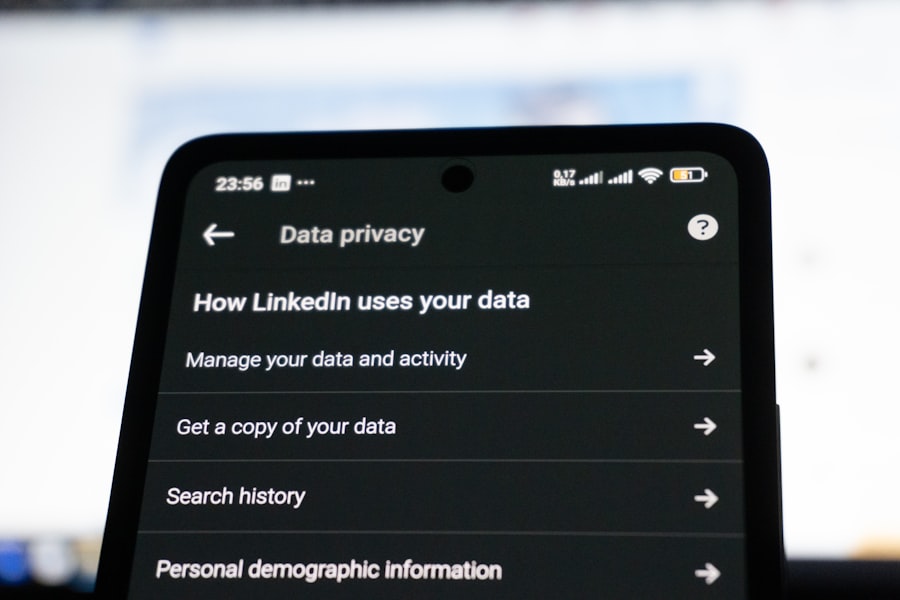
You’ve built your defenses and secured your pathways. This final week is about establishing a robust system of ongoing vigilance and adopting advanced strategies to stay ahead of evolving privacy threats. You’re not just building a fort; you’re setting up watchtowers and patrols, ensuring continuous safety and adapting to new challenges.
Embracing Encryption: The Invisible Shield for Your Data
Virtual Private Networks (VPNs):
A VPN acts as a secure tunnel for your internet traffic, encrypting your data and masking your IP address. It’s like sending your mail through a private courier service that wraps it in layers of security.
- Choose a Reputable VPN Provider: Select a VPN provider with a strong no-logs policy, robust encryption standards, and a good reputation for privacy. Avoid free VPNs, as they often compromise your privacy to monetize user data.
- Understand VPN Usage: Use your VPN when connecting to public Wi-Fi, when you want to mask your IP address for enhanced anonymity, or to bypass geo-restrictions.
- Be Aware of VPN Limitations: A VPN encrypts your connection but doesn’t make you completely anonymous. Your activity can still be linked to your account if you log in to services while using a VPN.
End-to-End Encryption (E2EE) Explained:
E2EE ensures that your communications are only readable by the sender and the intended recipient. Even the service provider cannot access the content of your messages.
- Utilize E2EE Messaging Apps: Opt for messaging applications that offer end-to-end encryption by default, such as Signal, Telegram (with secret chats), or WhatsApp.
- Verify E2EE Implementation: Some apps claim E2EE but may have weak implementations or rely on server-side encryption for certain features. Research the chosen app’s security protocols.
- Understand E2EE for Other Services: Look for E2EE options in cloud storage and email services if they are available and you require the highest level of privacy for your stored data.
Data Minimization and Consent Management
The Principle of Data Minimization:
This principle suggests collecting and keeping only the data that is absolutely necessary for a specific purpose.
- Be Mindful of Information You Share: Before providing personal information in forms, surveys, or to apps, ask yourself if it’s truly necessary. Can you proceed with less information?
- Limit Third-Party Data Sharing: Be cautious when websites or apps ask for permission to share your data with third parties. Opt out whenever possible.
Understanding and Exercising Your Consent:
Consent is your permission for data to be collected and used. You have the right to grant, deny, or withdraw consent.
- Read Privacy Policies (Even Briefly): While often dense, try to skim privacy policies for key information about data collection, usage, and sharing. Look for sections on “Your Choices” or “Your Rights.”
- Manage Cookie Preferences: Regularly review and adjust your cookie preferences on websites. Many sites offer granular control over different types of cookies.
- Utilize Privacy Choice Tools: Some regions (like California with CCPA/CPRA) offer specific tools and mechanisms for managing data consent and exercising data rights. Familiarize yourself with these if applicable to your location.
Staying Informed and Adapting to Evolving Threats
The Ever-Changing Privacy Landscape:
The digital world is dynamic. New technologies emerge, and privacy threats evolve. Staying informed is your best long-term defense.
- Follow Reputable Privacy News Sources: Subscribe to newsletters or follow security and privacy experts and organizations that report on data breaches, new privacy regulations, and emerging threats.
- Understand Current Privacy Regulations: Familiarize yourself with privacy laws in your region, such as GDPR (Europe), CCPA/CPRA (California), or PIPEDA (Canada). These laws grant you certain rights regarding your data.
- Educate Yourself on Emerging Technologies: As AI, the metaverse, and other new technologies develop, understand their potential privacy implications and how to navigate them safely.
Regularly Review and Re-Assess Your Privacy Practices:
Your privacy playbook is not a static document; it’s a living guide that needs periodic updates.
- Schedule Quarterly or Bi-Annual Privacy Audits: Dedicate time every few months to repeat the assessments from Week 1 and Week 2. Review your accounts, device settings, browser extensions, and app permissions.
- Adapt to New Features and Services: When you start using a new app or service, make privacy its immediate focus. Go through the setup process with a critical eye.
- Don’t Be Afraid to Adjust: If a privacy tool or setting isn’t working for you, or if new information emerges about a threat, be prepared to adjust your strategy.
By diligently following this 30-Day Privacy Playbook, you transform from a passive observer in the digital ecosystem into an active architect of your own digital privacy. This isn’t a one-time fix, but the establishment of a vigilant mindset and a set of sustainable habits that will empower you to protect your personal data in an increasingly connected world.
WATCH THIS 🛑 INVISIBLE TAX: Apps Steal $843/Year Without You Noticing (Here’s How)
FAQs
What is the Thirty Day Privacy Playbook?
The Thirty Day Privacy Playbook is a structured guide designed to help individuals improve their online privacy and data security over the course of thirty days. It provides daily tasks and tips to enhance personal privacy practices.
Who can benefit from using the Thirty Day Privacy Playbook?
Anyone interested in protecting their personal information online, including beginners and those with some knowledge of digital privacy, can benefit from the playbook. It is suitable for individuals looking to build better privacy habits systematically.
What topics are covered in the Thirty Day Privacy Playbook?
The playbook typically covers topics such as securing online accounts, managing privacy settings on social media, using encryption tools, understanding data collection practices, and adopting safer browsing habits.
Is the Thirty Day Privacy Playbook free to use?
Many versions of the Thirty Day Privacy Playbook are available for free online, often provided by privacy advocacy organizations or cybersecurity experts. However, some detailed or specialized versions may require a purchase or subscription.
How effective is the Thirty Day Privacy Playbook in improving privacy?
The playbook is effective as a step-by-step approach to building privacy awareness and habits. Its effectiveness depends on the user’s commitment to completing the daily tasks and applying the recommended practices consistently.